Scalpee
Scalpee
Crypto Trading Terminal
Crypto Trading Terminal
|
|
desktop app
desktop app
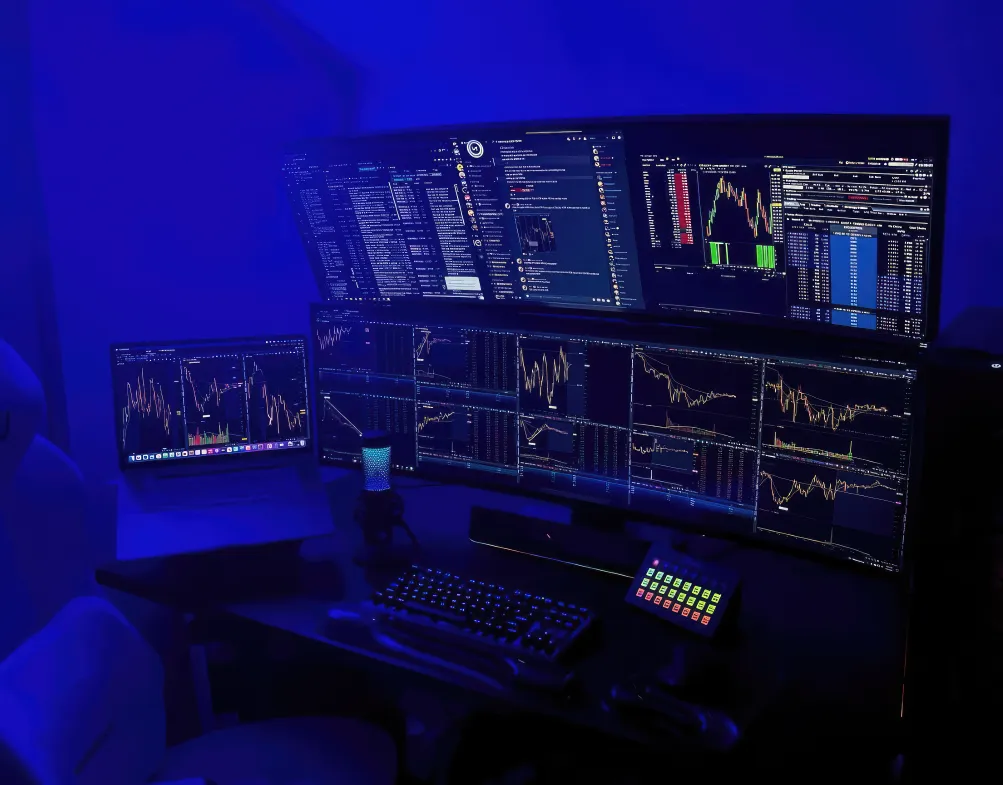
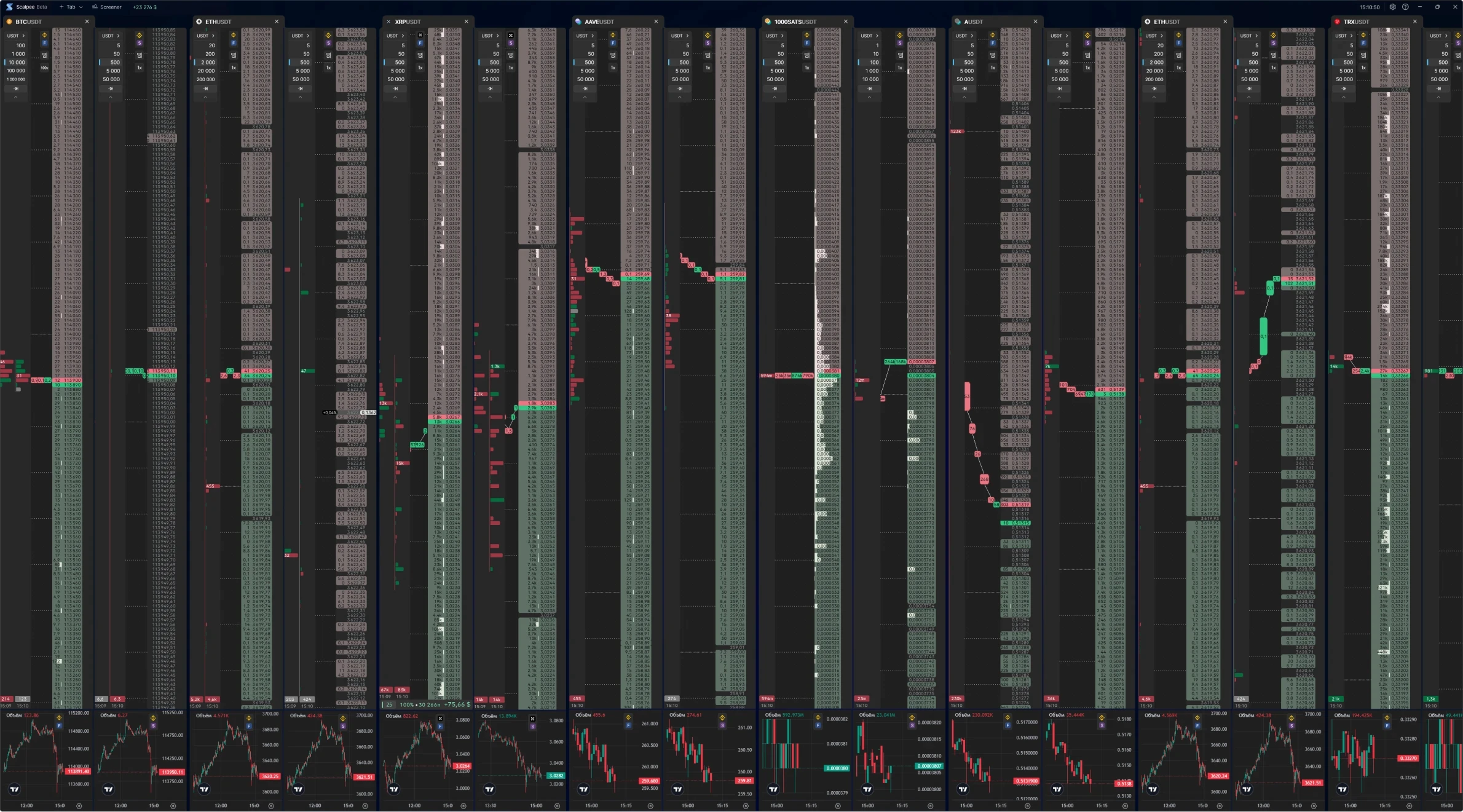
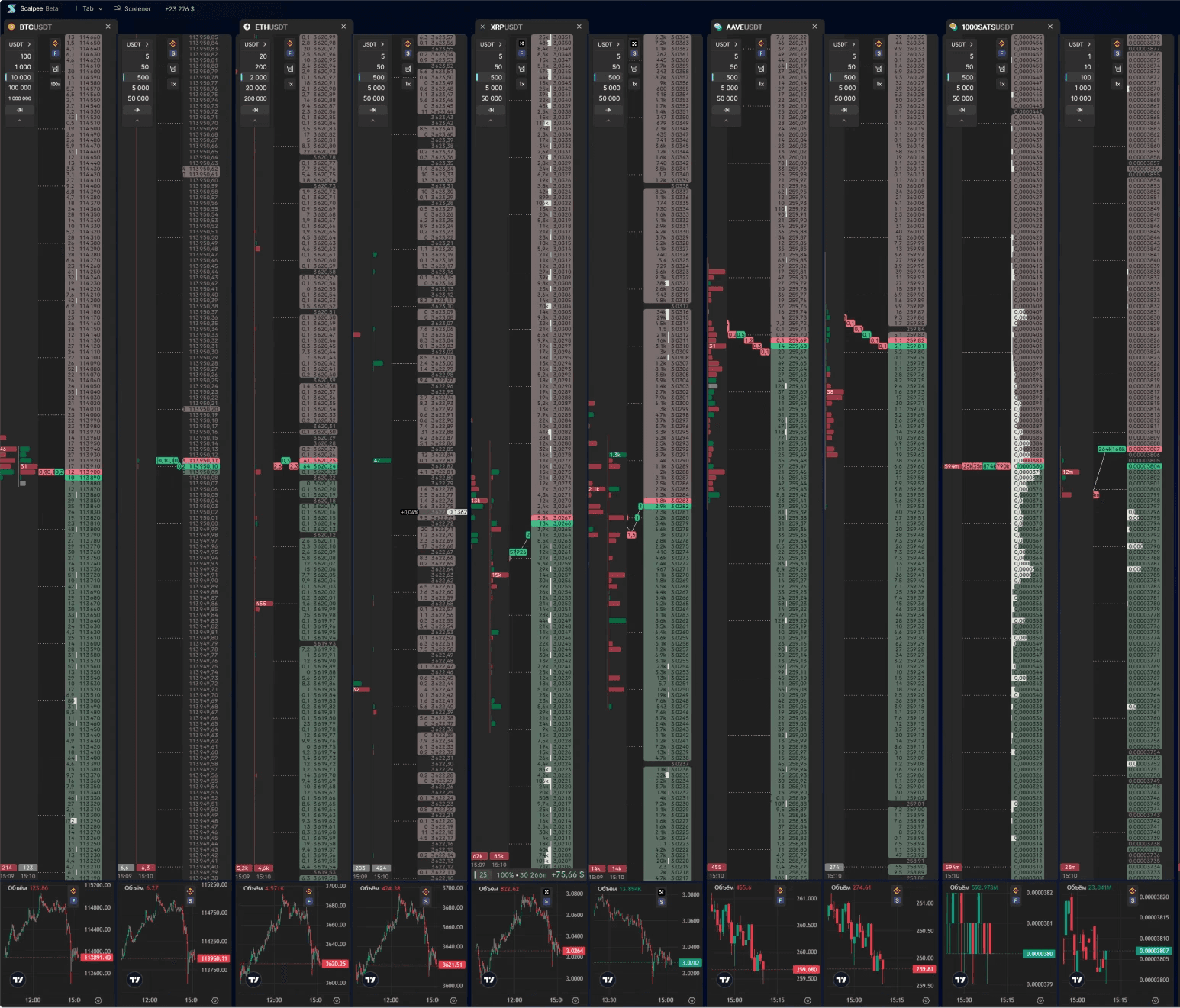
scalper trader setup SAMPLE
about
about
Scalping is a specific trading strategy in which traders make deals over extremely short timeframes.
Scalping is a specific trading strategy in which traders make deals over extremely short timeframes.
Scalping is a specific trading strategy in which traders make deals over extremely short timeframes.
A scalper typically uses multiple displays to monitor and control dozens of order books and charts simultaneously. This requires specialized software known as a “terminal,” designed for high speed, precision, and data density.
Modern trading terminals must deliver complex information quickly and intuitively. Even a one-second delay can make the difference between profit and loss in a volatile market. My goal with Scalpee was to create a terminal that not only handles vast amounts of data but does so with clarity and efficiency, reducing cognitive load and empowering traders to act with confidence.
A scalper typically uses multiple displays to monitor and control dozens of order books and charts simultaneously. This requires specialized software known as a “terminal,” designed for high speed, precision, and data density.
Modern trading terminals must deliver complex information quickly and intuitively. Even a one-second delay can make the difference between profit and loss in a volatile market. My goal with Scalpee was to create a terminal that not only handles vast amounts of data but does so with clarity and efficiency, reducing cognitive load and empowering traders to act with confidence.
Scope and scale
Scope and scale
domain
Trading | Fintech | Crypto | Web 3
Trading | Fintech | Crypto | Web 3
project numbers
▪ 0 to 1 launch
▪ 20K+ experienced traders
▪ 250K trading operations daily
▪ <100 ms latency matters
▪ 0 to 1 launch
▪ 20K+ experienced traders
▪ 250K trading operations daily
▪ <100 ms latency matters
platform
▪ Windows native app
▪ Web app
▪ Windows native app
▪ Web app
scalper trader setup SAMPLE
impact
impact
I designed Scalpee from scratch, creating a markedly superior user experience compared to competing products.
I designed Scalpee from scratch, creating a markedly superior user experience compared to competing products.
■ Designed high-frequency trading UX with 5x fewer clicks vs competitors for core actions.
■ Architected token-based design system cutting front-end dev costs by 40% across products.
■ Engineered zero-click interactions for complex scalping functions (milliseconds matter).
■ Reduced hardware load 20% via lightweight data visualization and optimized rendering logic.
■ Embedded user research and design vision into strategic planning and UX design roadmap.
■ Established new UX standards for scalping trading terminals industry-wide.
■ Designed high-frequency trading UX with 5x fewer clicks vs competitors for core actions.
■ Architected token-based design system cutting front-end dev costs by 40% across products.
■ Engineered zero-click interactions for complex scalping functions (milliseconds matter).
■ Reduced hardware load 20% via lightweight data visualization and optimized rendering logic.
■ Embedded user research and design vision into strategic planning and UX design roadmap.
■ Established new UX standards for scalping trading terminals industry-wide.
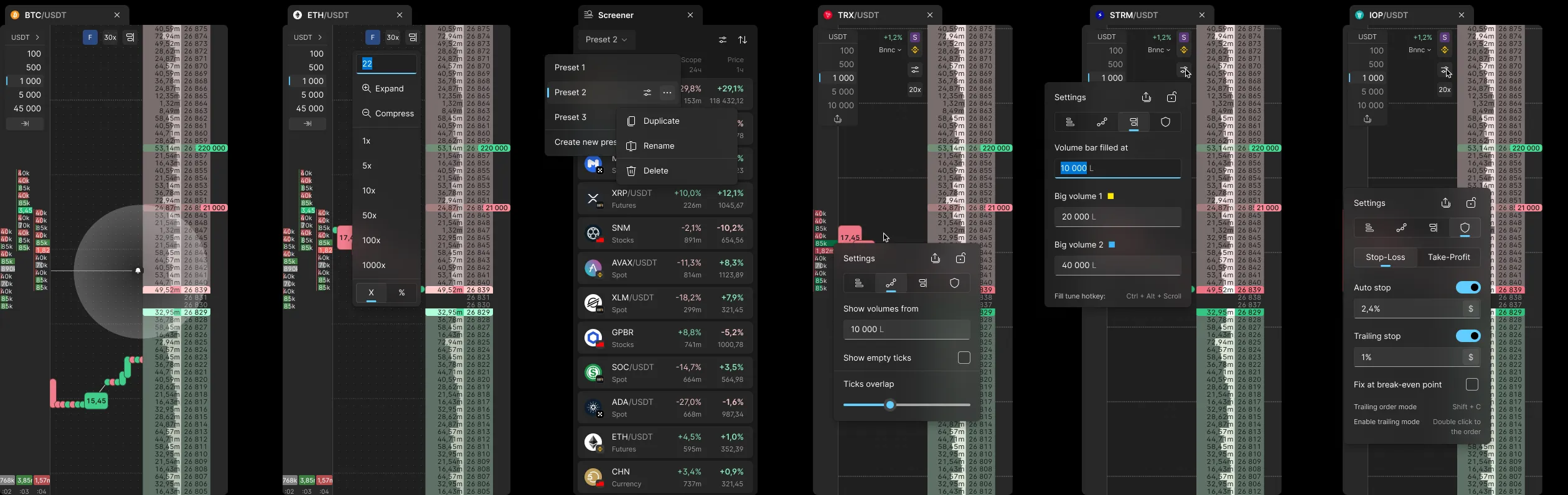
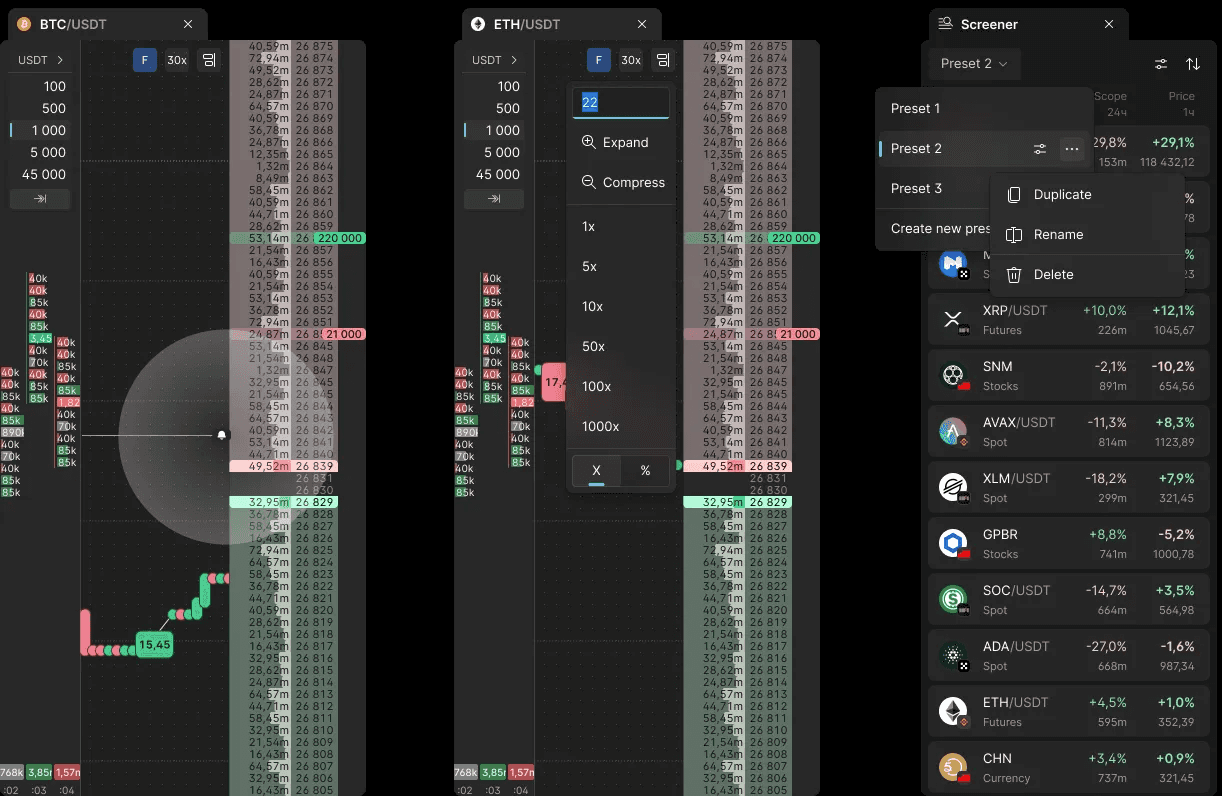
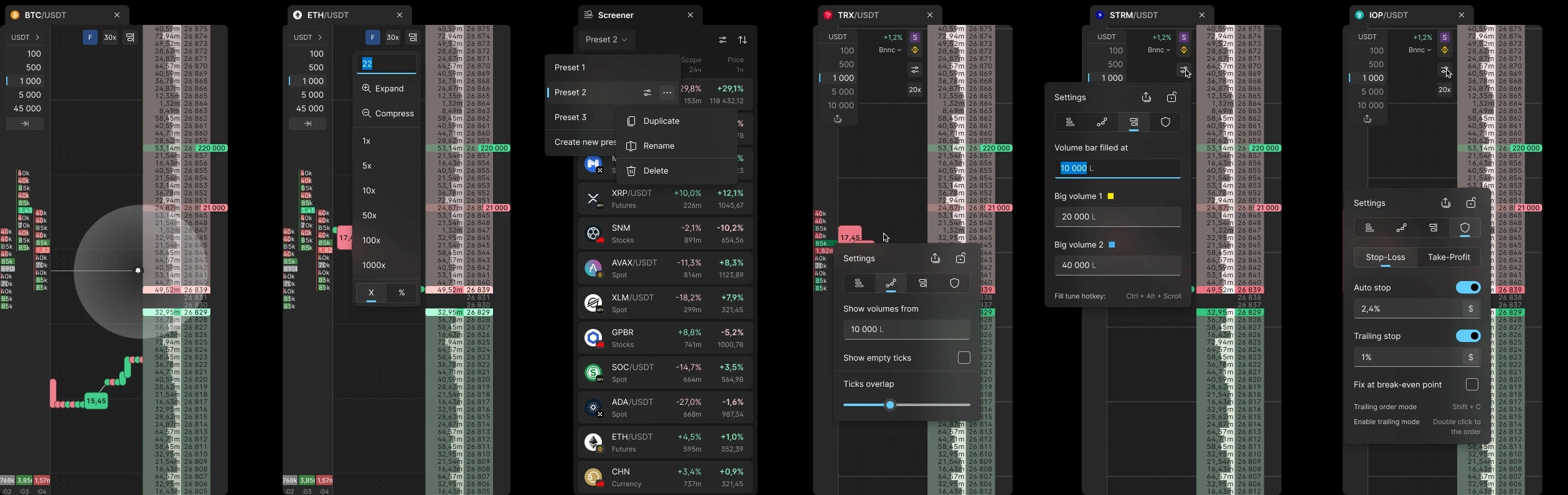
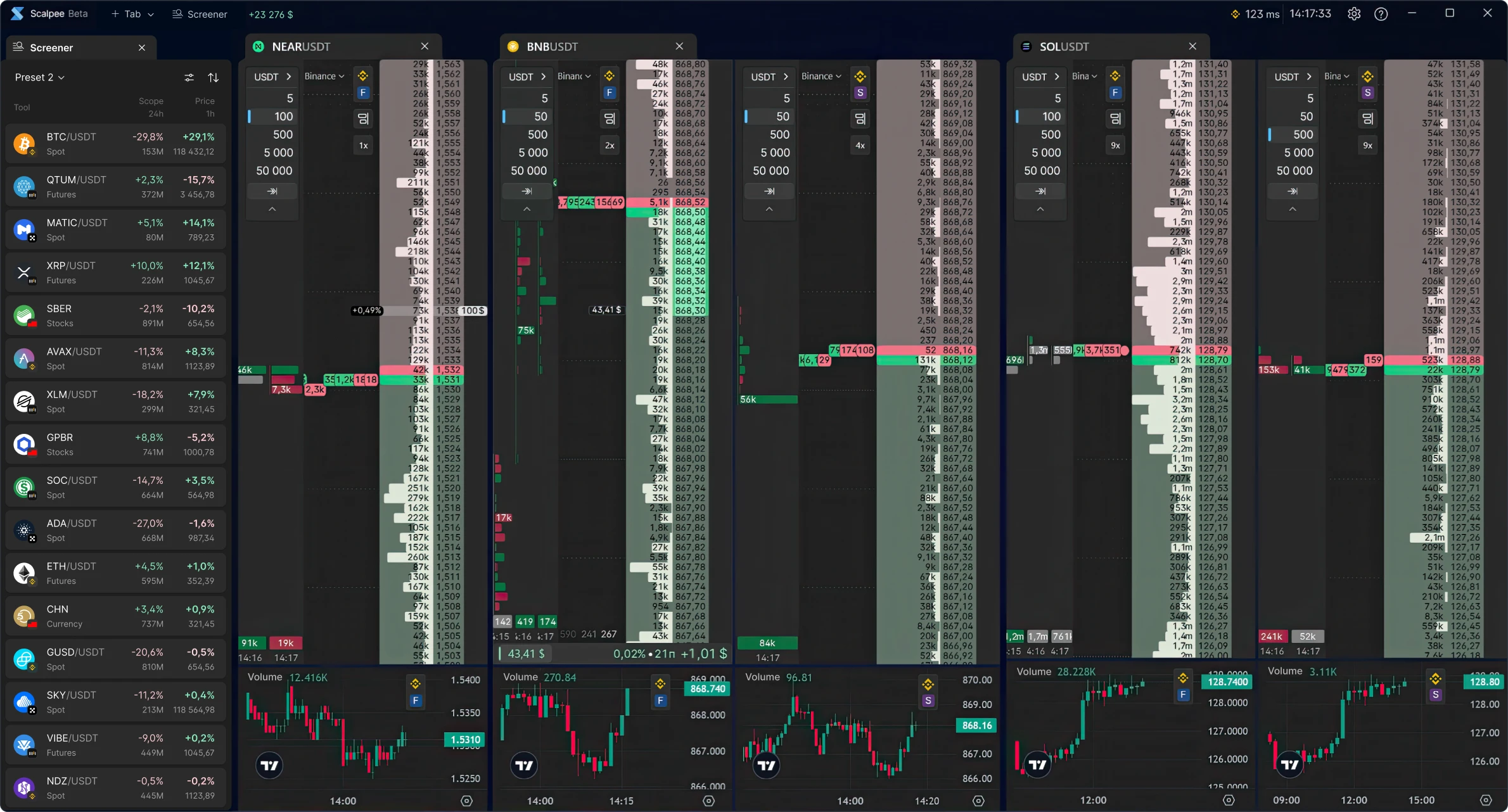
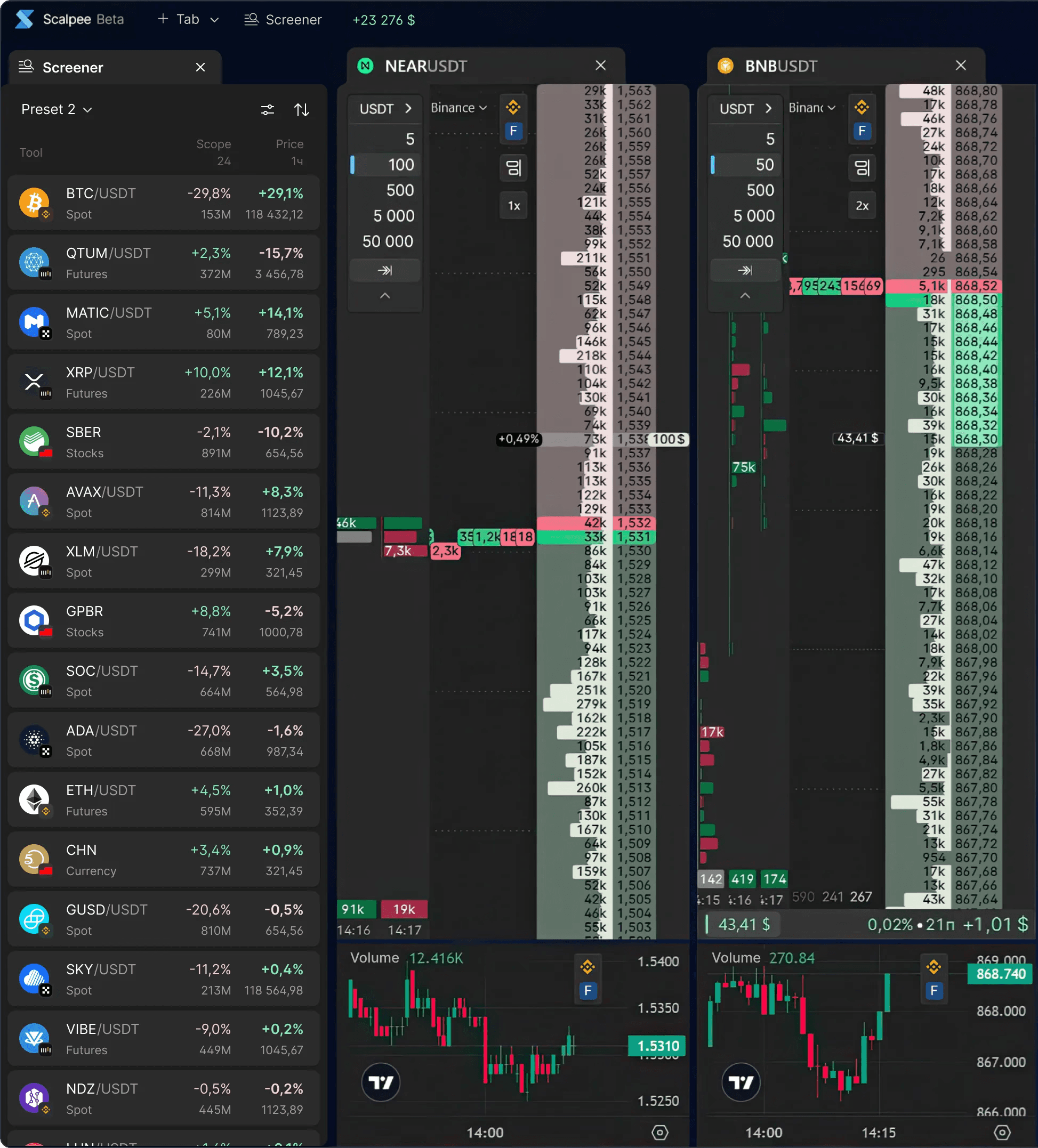
orderbook & chart group overview
orderbook & chart group overview
challenge
challenge
Scalpee was one of the most challenging projects I’ve worked on. It combines extreme data density, fast decision-making demands, and unprecedented UX complexity.
Scalpee was one of the most challenging projects I’ve worked on. It combines extreme data density, fast decision-making demands, and unprecedented UX complexity.
Scalpee was one of the most challenging projects I’ve worked on. It combines extreme data density, fast decision-making demands, and unprecedented UX complexity.
For a scalper, the ability to manage orders quickly and intuitively is critical. Even a one-second delay can mean the difference between significant profit and loss in a volatile market. There is no room for mistakes or ambiguity in the interface.
The amount of data, numbers, controls, and indicators is massive. While it’s technically possible to fit all the information and features on one screen, doing so would create an extremely cluttered interface, leaving new users with little chance of getting started without first reading a lengthy manual.
For a scalper, the ability to manage orders quickly and intuitively is critical. Even a one-second delay can mean the difference between significant profit and loss in a volatile market. There is no room for mistakes or ambiguity in the interface.
The amount of data, numbers, controls, and indicators is massive. While it’s technically possible to fit all the information and features on one screen, doing so would create an extremely cluttered interface, leaving new users with little chance of getting started without first reading a lengthy manual.
Research
Research
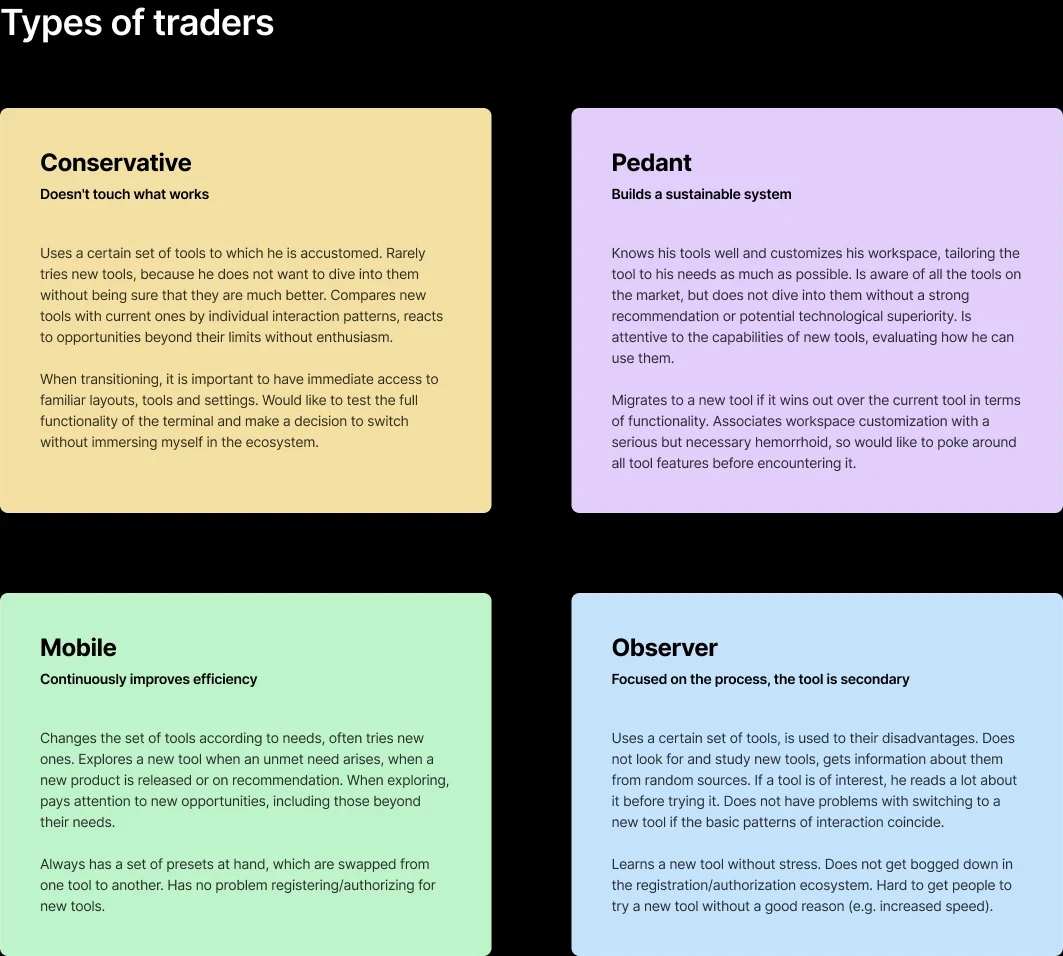
Scalper behavior, needs, and pain points are highly specific and nothing like those of non-trading users.
Scalper behavior, needs, and pain points are highly specific and nothing like those of non-trading users.
Scalper behavior, needs, and pain points are highly specific and nothing like those of non-trading users.
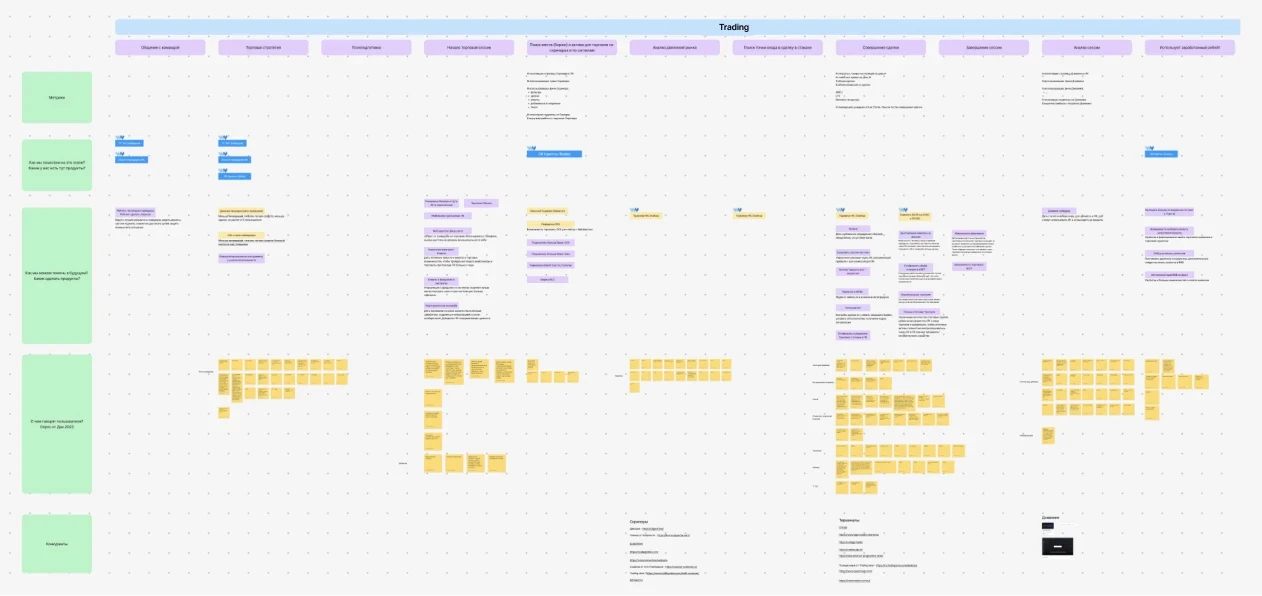
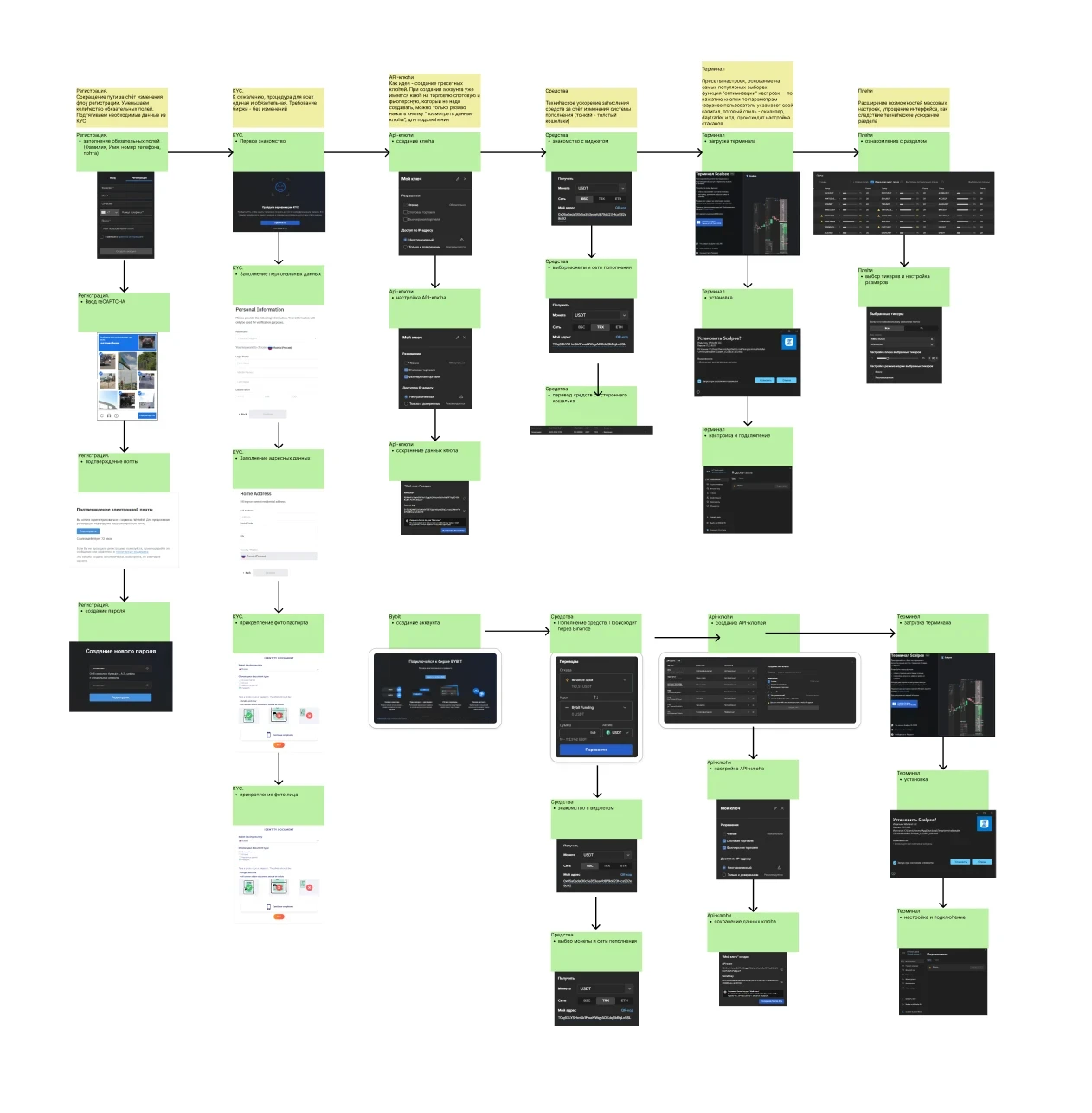
Our users follow unusual interaction patterns, so we ran multiple rounds of interviews with traders to uncover their challenges, trading workflows, and expectations for an effective trading terminal.
Based on this research, we mapped user flows and journey maps to visualize the experience and shape both the product and design strategy. Regular interviews with traders allowed us to refine features and UX from a very early stage of the product.
Our users follow unusual interaction patterns, so we ran multiple rounds of interviews with traders to uncover their challenges, trading workflows, and expectations for an effective trading terminal.
Based on this research, we mapped user flows and journey maps to visualize the experience and shape both the product and design strategy. Regular interviews with traders allowed us to refine features and UX from a very early stage of the product.
price alert zero click dismiss
APPROACH
APPROACH
The goal was to design a UX that keeps traders focused on the task and interface area they are currently working in, while preselecting the most likely options to reduce clicks and lower cognitive load.
The goal was to design a UX that keeps traders focused on the task and interface area they are currently working in, while preselecting the most likely options to reduce clicks and lower cognitive load.
The “Don’t Make Me Think” principle was applied – and often rigorously challenged – for every feature, button, label, and user action.
As a result, Scalpee requires up to 5× fewer clicks and significantly less cognitive load than competing software for similar tasks. In some cases, I implemented zero-click solutions and where input was required, we expanded the interactive target area beyond traditional buttons to make actions faster and more error-proof.
We introduced several new UX standards in trading software, and competitors later adopted similar solutions – that's a fact I’m especially proud of.
The “Don’t Make Me Think” principle was applied – and often rigorously challenged – for every feature, button, label, and user action.
As a result, Scalpee requires up to 5× fewer clicks and significantly less cognitive load than competing software for similar tasks. In some cases, I implemented zero-click solutions and where input was required, we expanded the interactive target area beyond traditional buttons to make actions faster and more error-proof.
We introduced several new UX standards in trading software, and competitors later adopted similar solutions – that's a fact I’m especially proud of.
tabs linking feature prototype: intuitive ux
tabs linking feature prototype: intuitive ux
SOLUTION
SOLUTION
Smart multi-level search result sorting
For ticker search result output, I created a smart sorting logic that shows the most relevant tickers appear at the top.
This logic is based on what is most frequently used by scalper traders and covers 90% of ticker search scenarios. Compared to simple result sorting and competitors, the number of clicks was reduced by up to 3x.
For ticker search result output, I created a smart sorting logic that shows the most relevant tickers appear at the top.
This logic is based on what is most frequently used by scalper traders and covers 90% of ticker search scenarios. Compared to simple result sorting and competitors, the number of clicks was reduced by up to 3x.
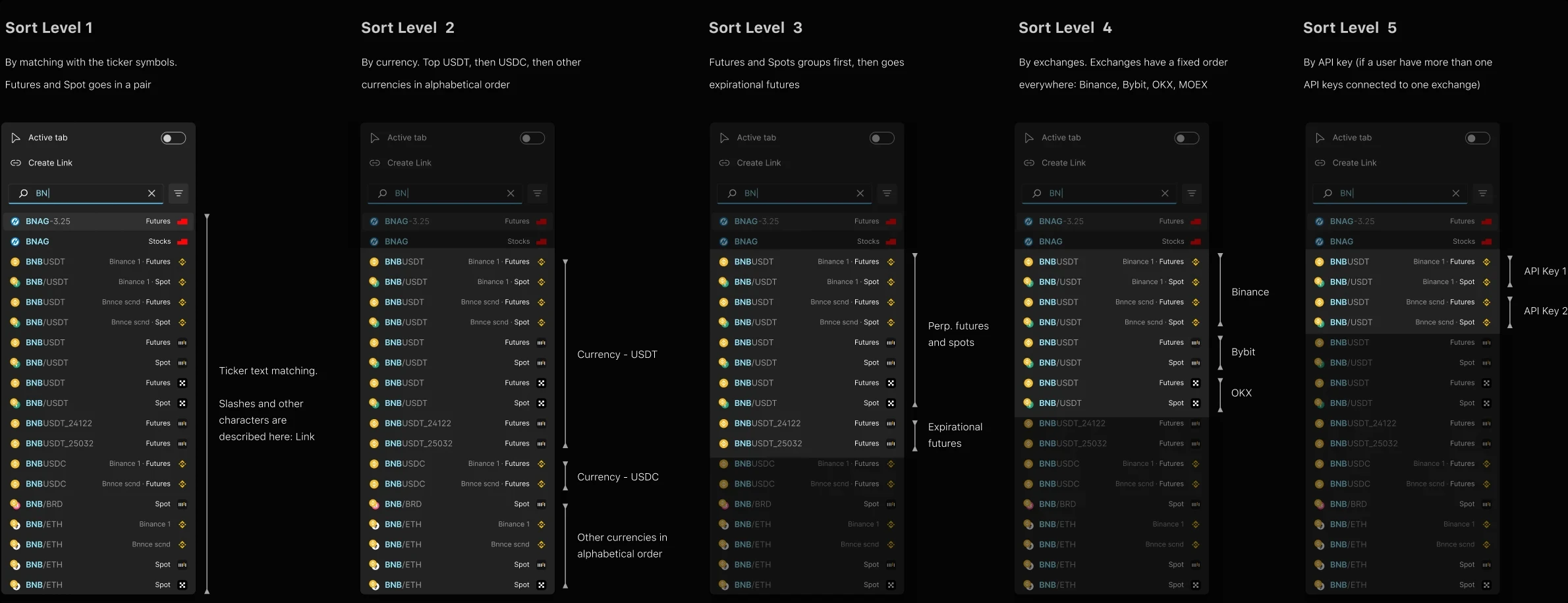
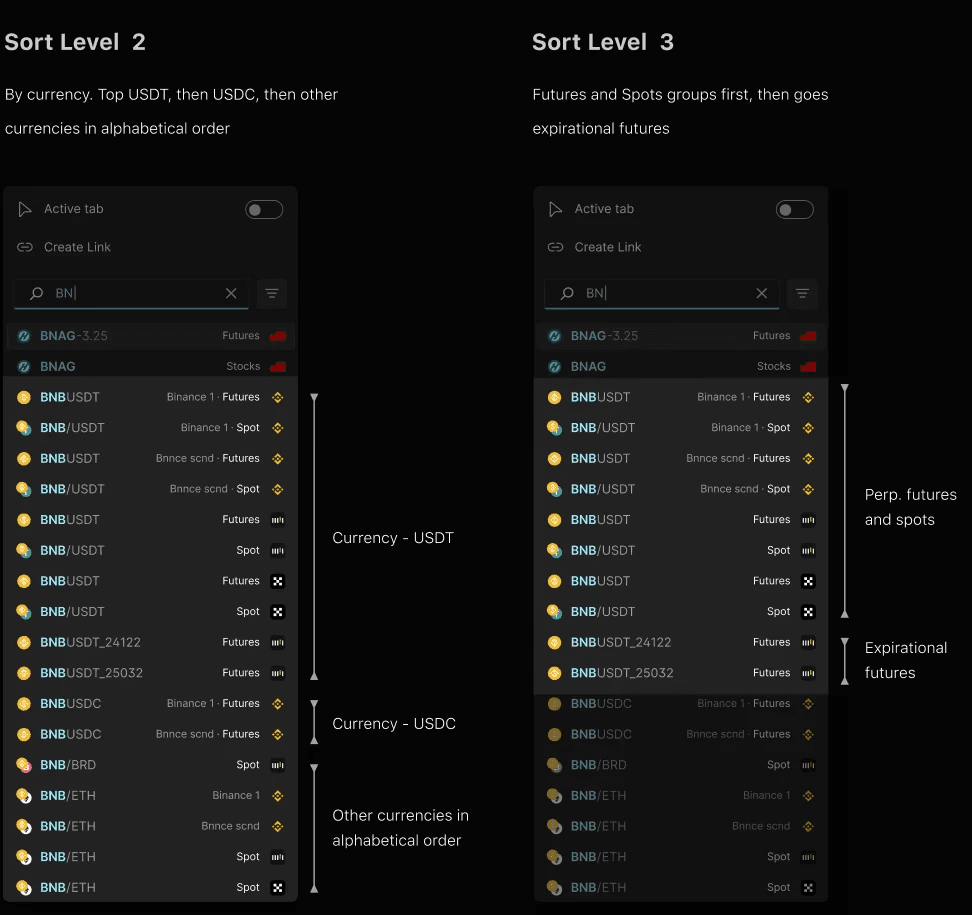
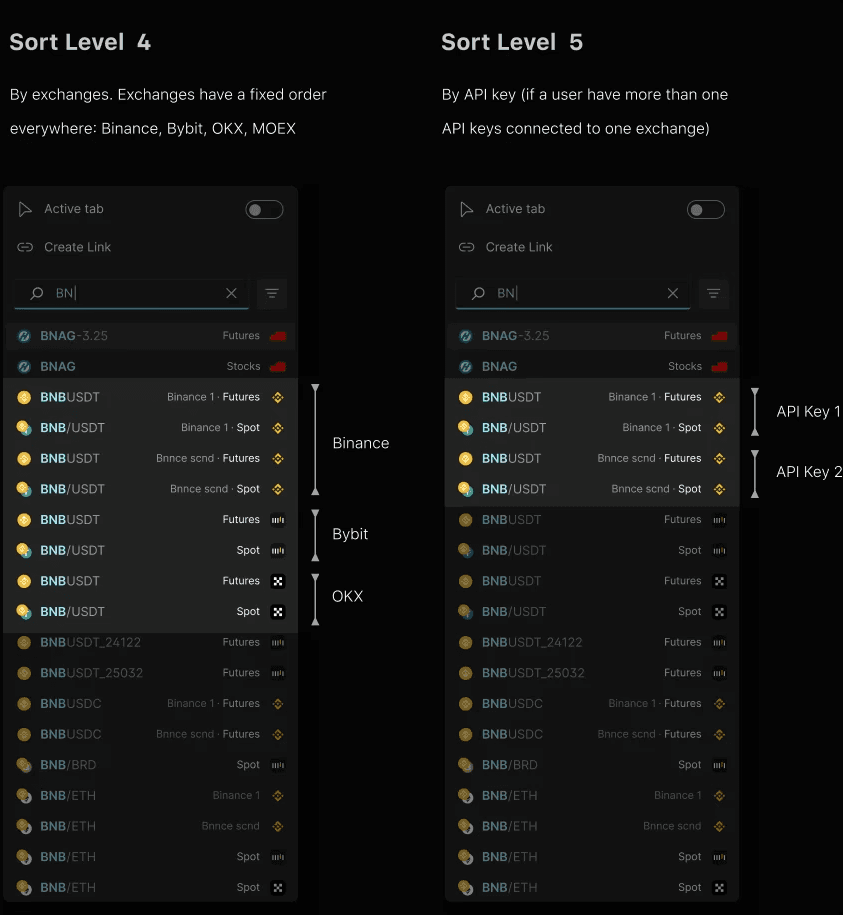
sorting logic in documentation
sorting logic in documentation
Progressive orderbook scaling
Trader needs to adjust the orderbook scale for each ticker, market situation and his trading volume. Adaptive scaling logic saves 5–10 clicks each time a trader changes orderbook scale:
■ Progressive steps. The higher is the current scale value, the larger the step. Progression formula was tuned to cover most of cases.
■ Instant preview. Hovering a value preset in the list shows the result in the orderdbook immediately. This way it takes literally a few seconds to select the right scale and one click to apply it.
■ Hotkeys and tooltips. Most used controls are duplicated with keyboard shortcuts. Tooltips are adaptive: the delay depends on the control and UX scenario.
Trader needs to adjust the orderbook scale for each ticker, market situation and his trading volume. Adaptive scaling logic saves 5–10 clicks each time a trader changes orderbook scale:
■ Progressive steps. The higher is the current scale value, the larger the step. Progression formula was tuned to cover most of cases.
■ Instant preview. Hovering a value preset in the list shows the result in the orderdbook immediately. This way it takes literally a few seconds to select the right scale and one click to apply it.
■ Hotkeys and tooltips. Most used controls are duplicated with keyboard shortcuts. Tooltips are adaptive: the delay depends on the control and UX scenario.
developed feature preview
developed feature preview
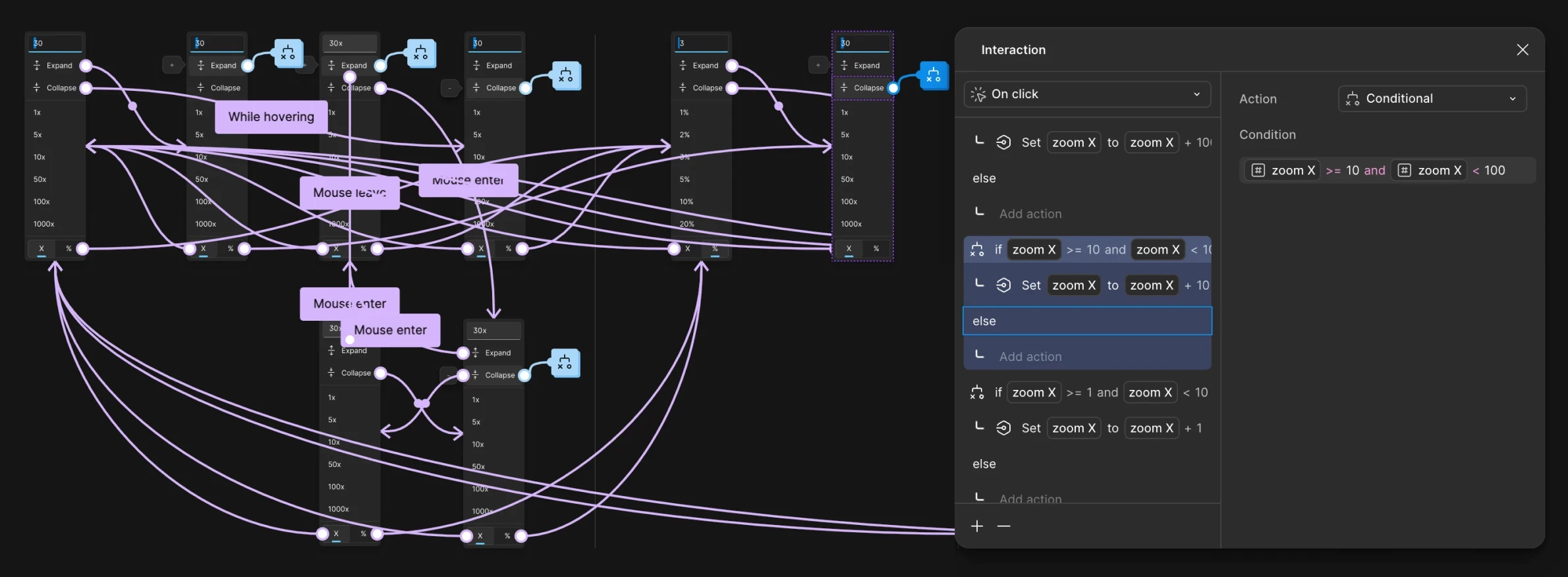
conditional logic prototype
conditional logic prototype
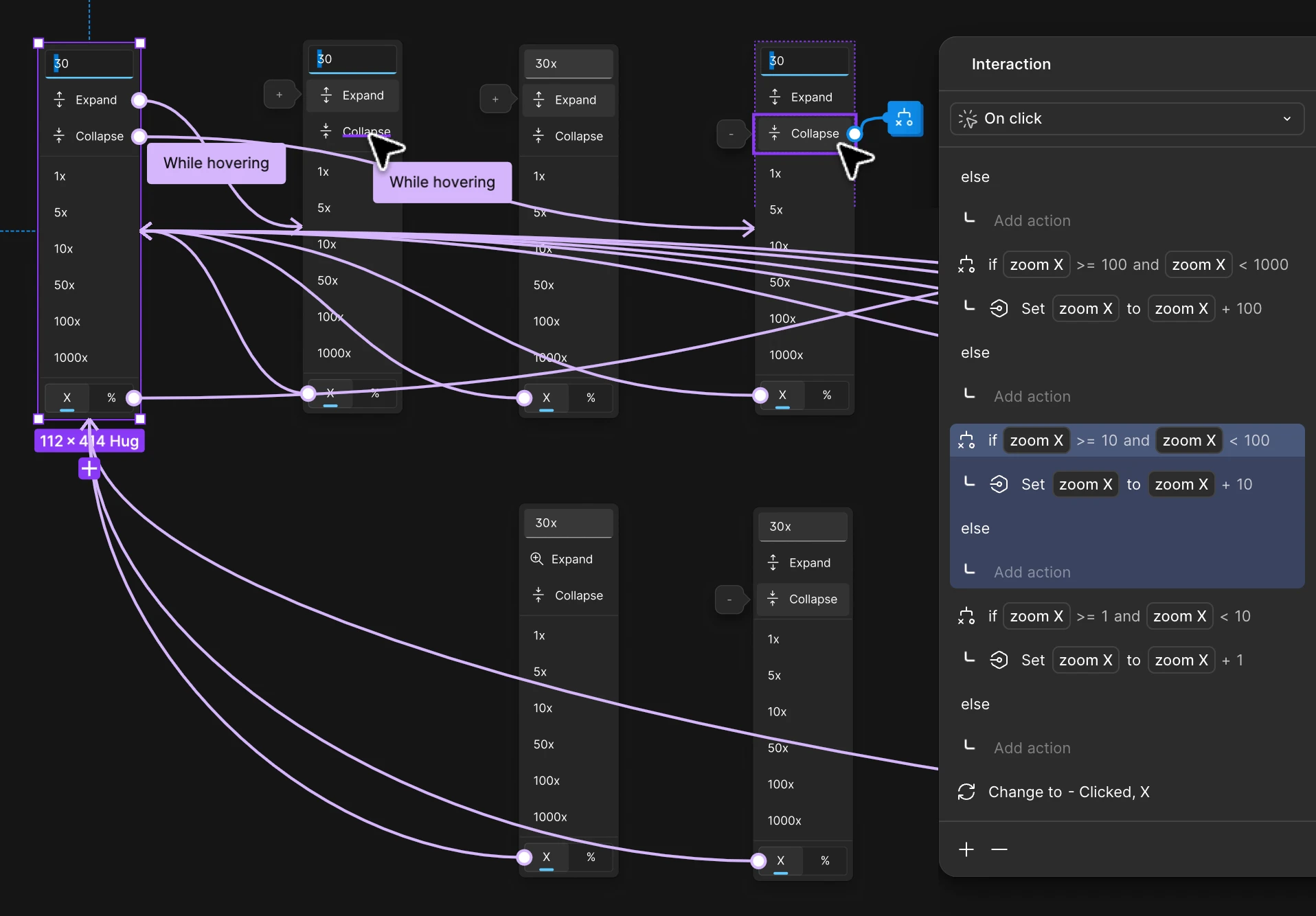
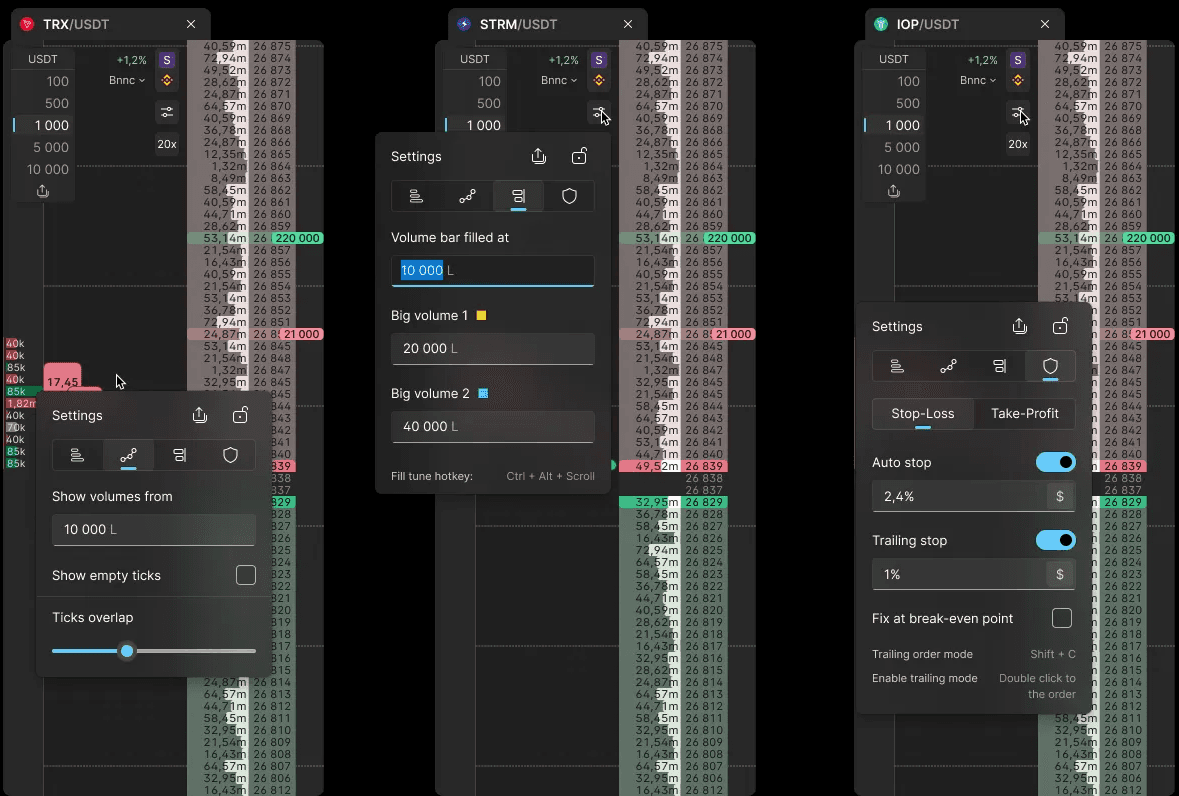
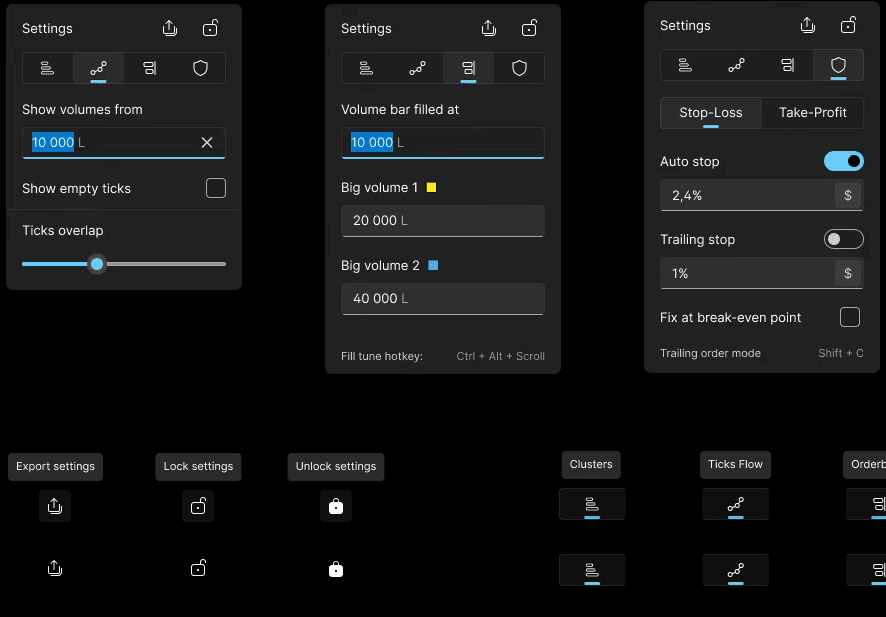
Contextual settings architecture
Orderbook and instrument settings have dozens of parameters depending on the instrument, trading style, and more. Pro traders need deep adjustments, while newbies use only basic settings. I've managed to create a UX solution that meets all trader types needs.
■ Contextual UX approach: only relevant setting are displaying at the moment to focus on the parameters a trader is likely going to change.
■ The tab of the settings panel depends on which area was clicked, with the most likely field pre-focused and pre-filled.
■ Quick access to other settings via shared panels with intuitive navigation. Icons with adaptive tooltips makes the panel compact, while meets both pro and newbie traders needs.
■ Default values and presets based on the most popular and most likely values to reduce clicks.
Orderbook and instrument settings have dozens of parameters depending on the instrument, trading style, and more. Pro traders need deep adjustments, while newbies use only basic settings. I've managed to create a UX solution that meets all trader types needs.
■ Contextual UX approach: only relevant setting are displaying at the moment to focus on the parameters a trader is likely going to change.
■ The tab of the settings panel depends on which area was clicked, with the most likely field pre-focused and pre-filled.
■ Quick access to other settings via shared panels with intuitive navigation. Icons with adaptive tooltips makes the panel compact, while meets both pro and newbie traders needs.
■ Default values and presets based on the most popular and most likely values to reduce clicks.
feature prototype
feature prototype
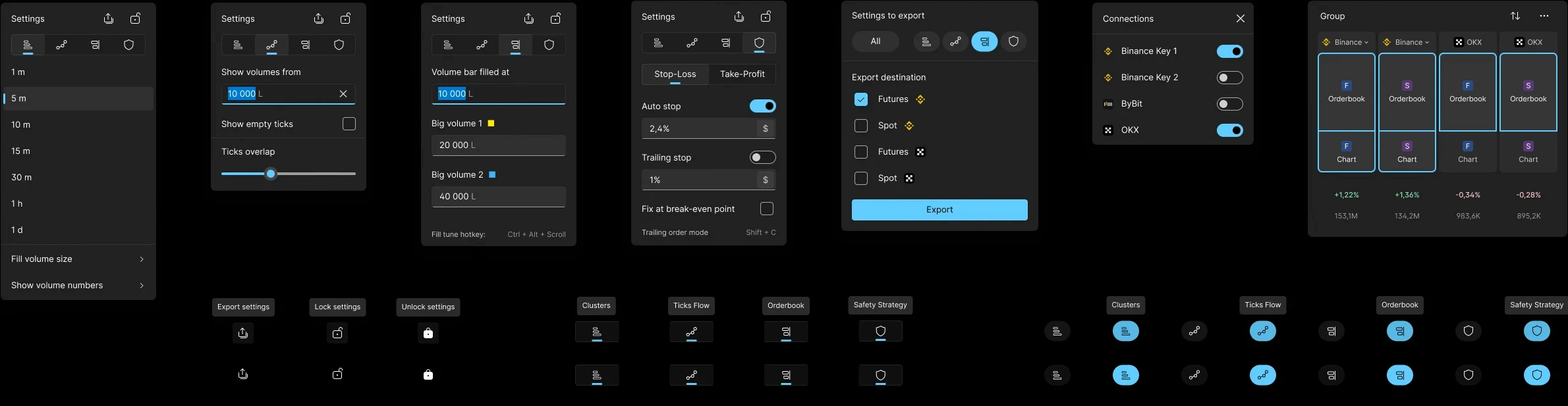
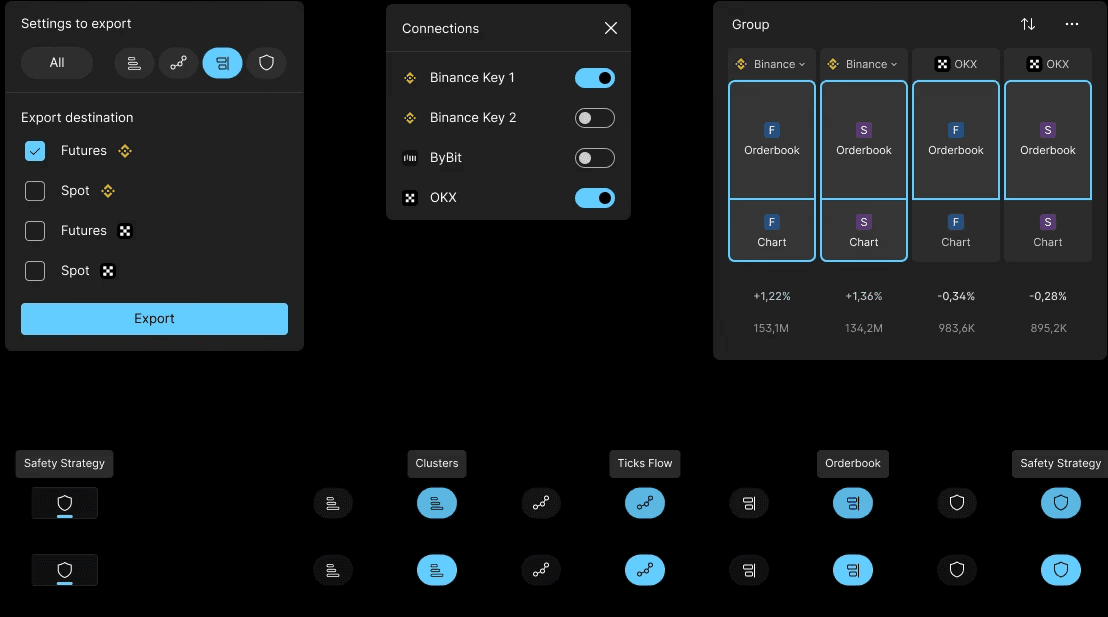
Web account tools
The terminal is connected with a web portal with its own functionality and tools, while both products are under one brand. Therefore, the user experience built to be similar and maintain visual consistency.
However, the development environments for the web and Windows app were different and did not share a single design system, so we had to align them and create two interconnected design systems, each with its own differences.
The terminal is connected with a web portal with its own functionality and tools, while both products are under one brand. Therefore, the user experience built to be similar and maintain visual consistency.
However, the development environments for the web and Windows app were different and did not share a single design system, so we had to align them and create two interconnected design systems, each with its own differences.
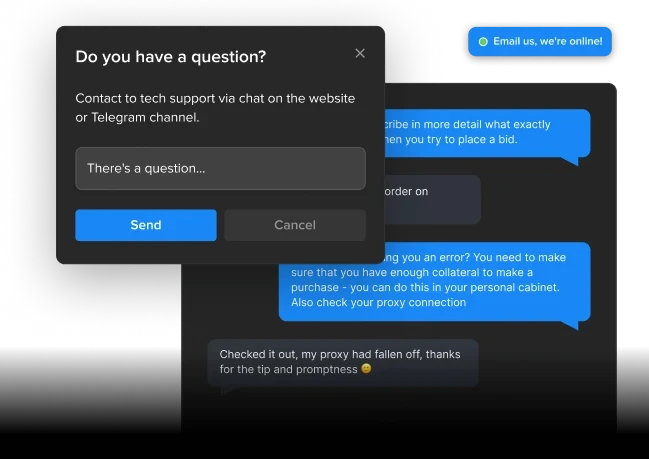
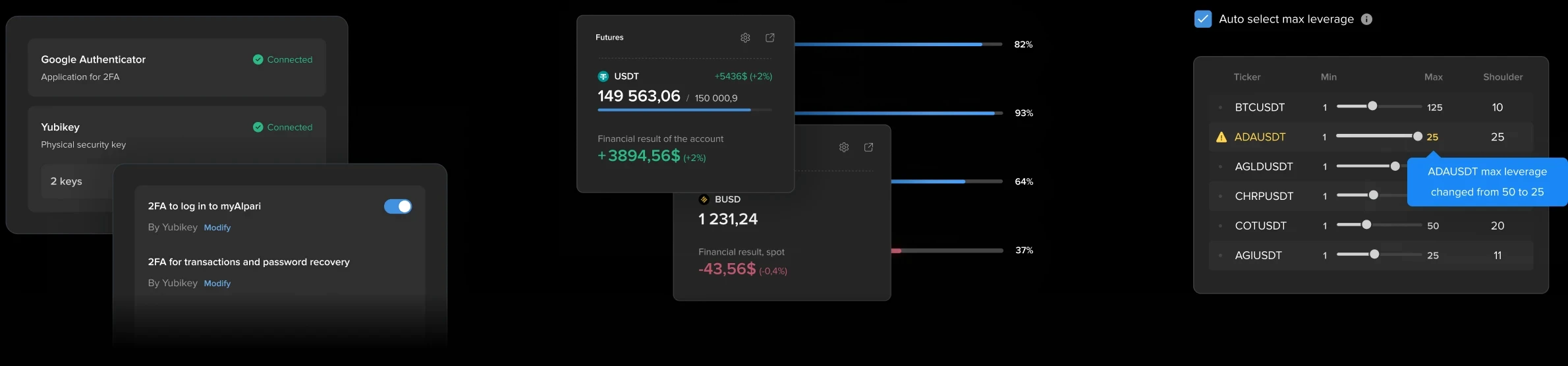
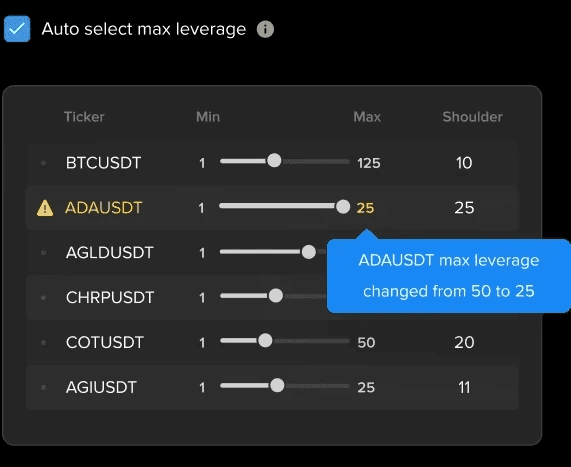
web widgets and dialogs samples
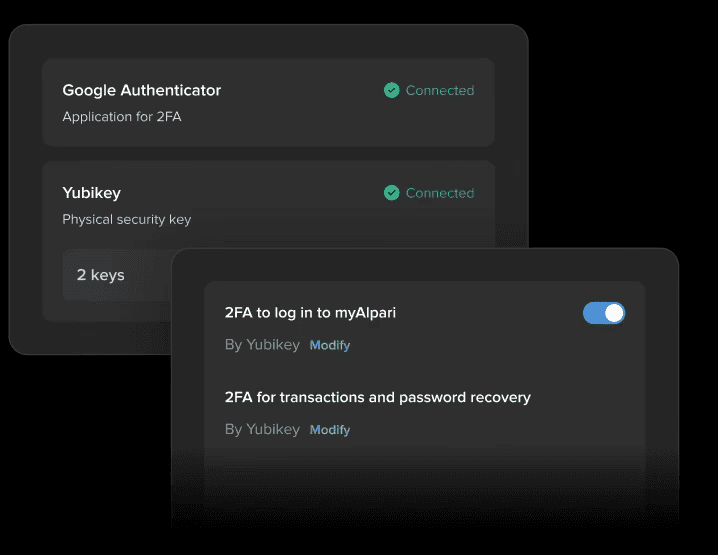
web widgets and dialogs samples
Documentation
Documentation
Complex features require highly detailed documentation and careful consideration of dozens of edge cases and scenarios.
Complex features require highly detailed documentation and careful consideration of dozens of edge cases and scenarios.
The entire team relies on documentation and design: development, QA, product management, marketing, and others. The approach was to spend more time creating the detailed documentation that would answer almost any question of any team member. Complex interactive prototypes are not an addition, but a necessity, and in most cases, they significantly save the team's resources, allowing them to convey the idea and technical features more quickly.
The entire team relies on documentation and design: development, QA, product management, marketing, and others. The approach was to spend more time creating the detailed documentation that would answer almost any question of any team member. Complex interactive prototypes are not an addition, but a necessity, and in most cases, they significantly save the team's resources, allowing them to convey the idea and technical features more quickly.
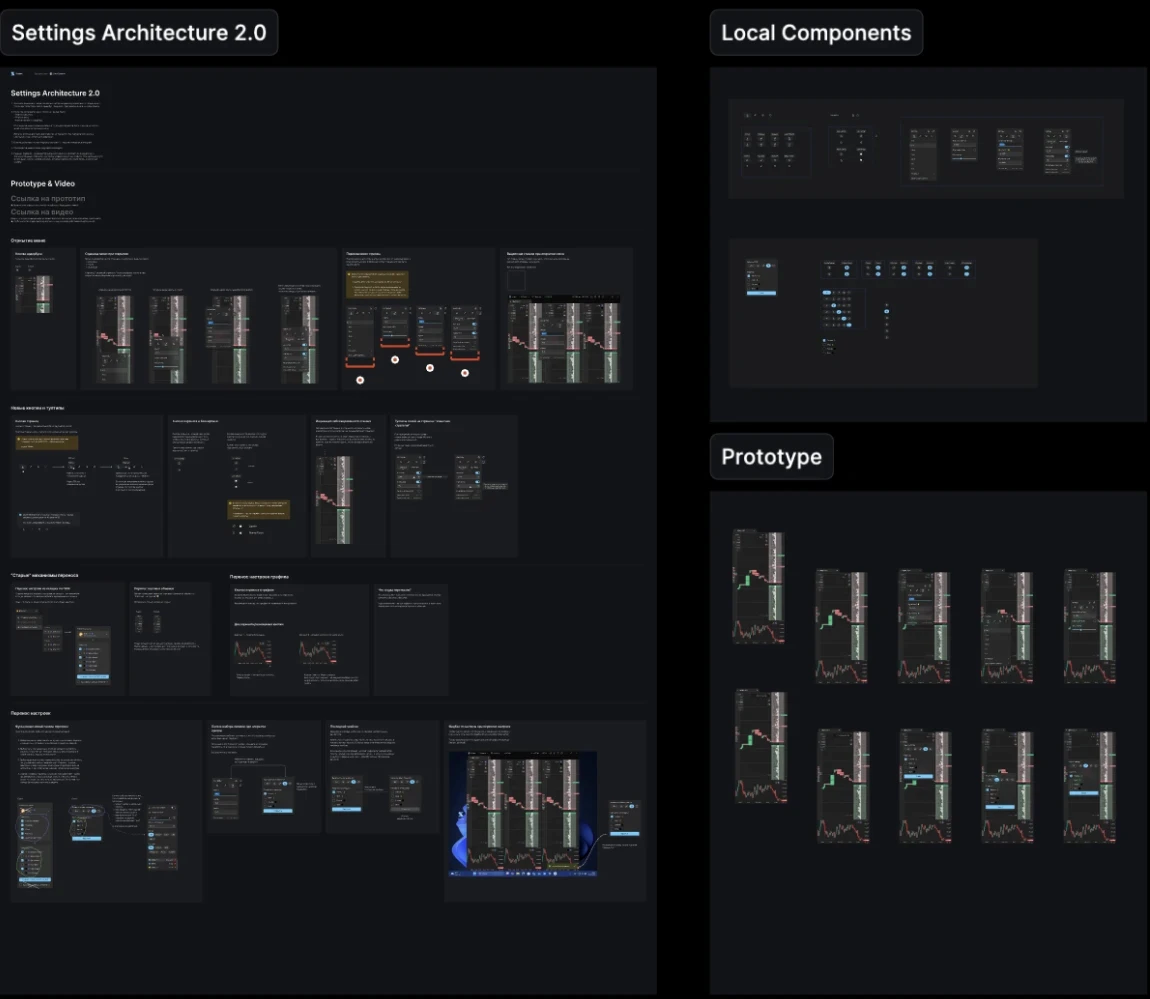
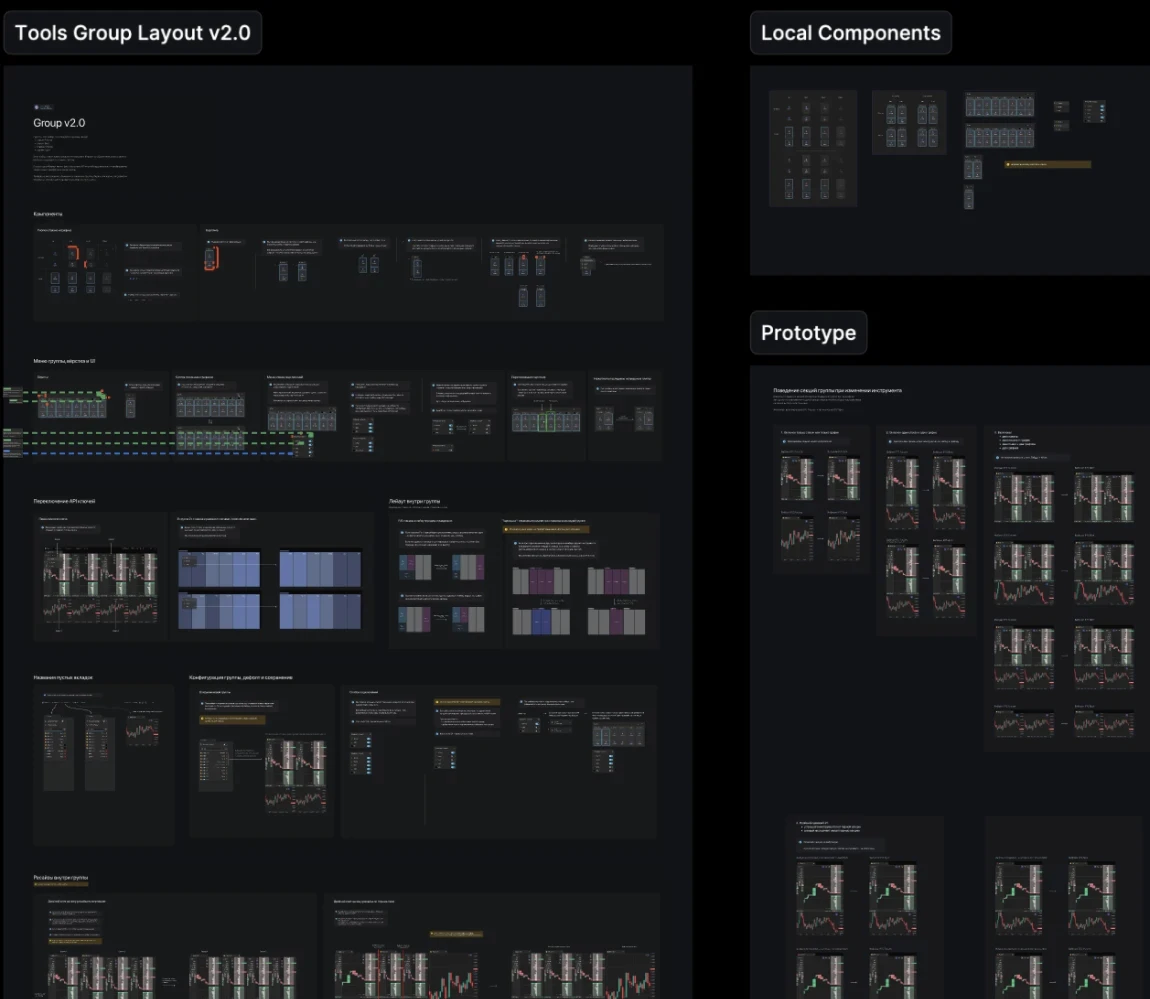
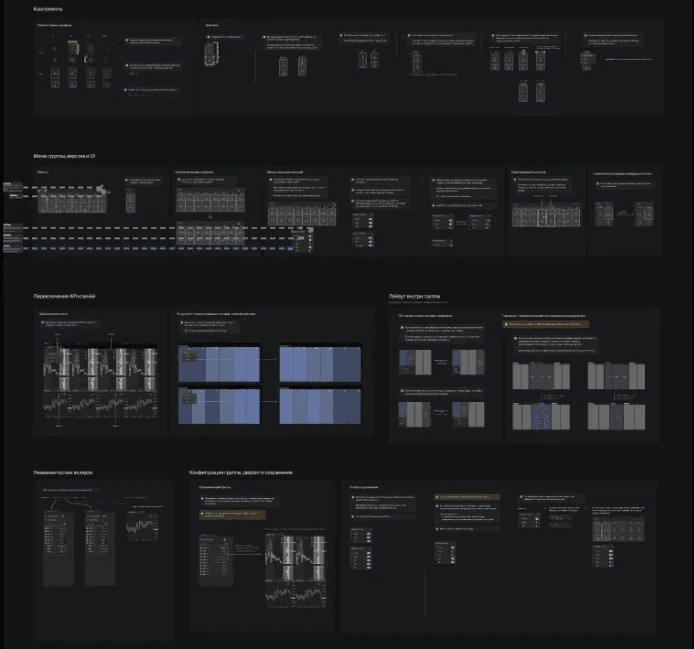
Each feature file is divided into logical sections and scenarios for all the controls and possible cases. That structure makes it easy to navigate, discuss, and work on individual parts without rebuilding the entire design file structure.
Each feature file is divided into logical sections and scenarios for all the controls and possible cases. That structure makes it easy to navigate, discuss, and work on individual parts without rebuilding the entire design file structure.
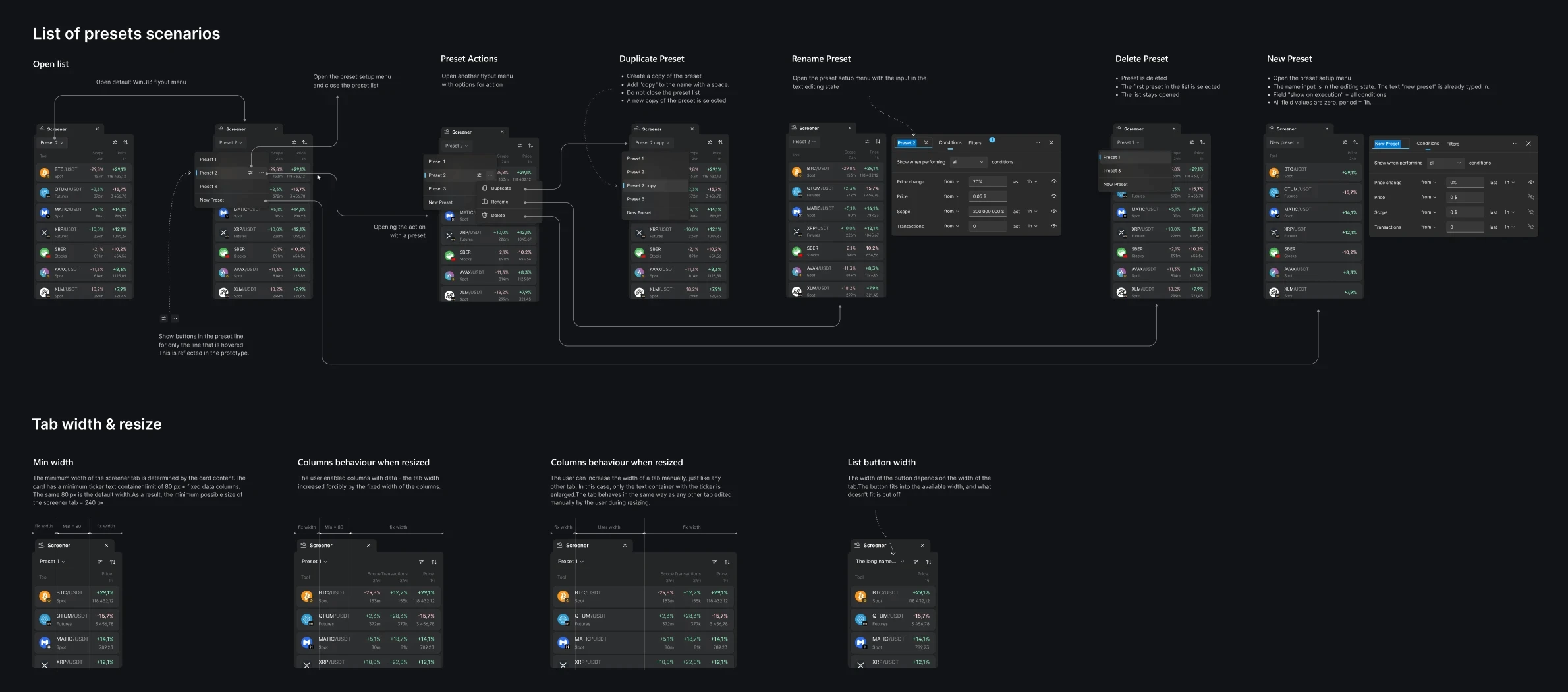
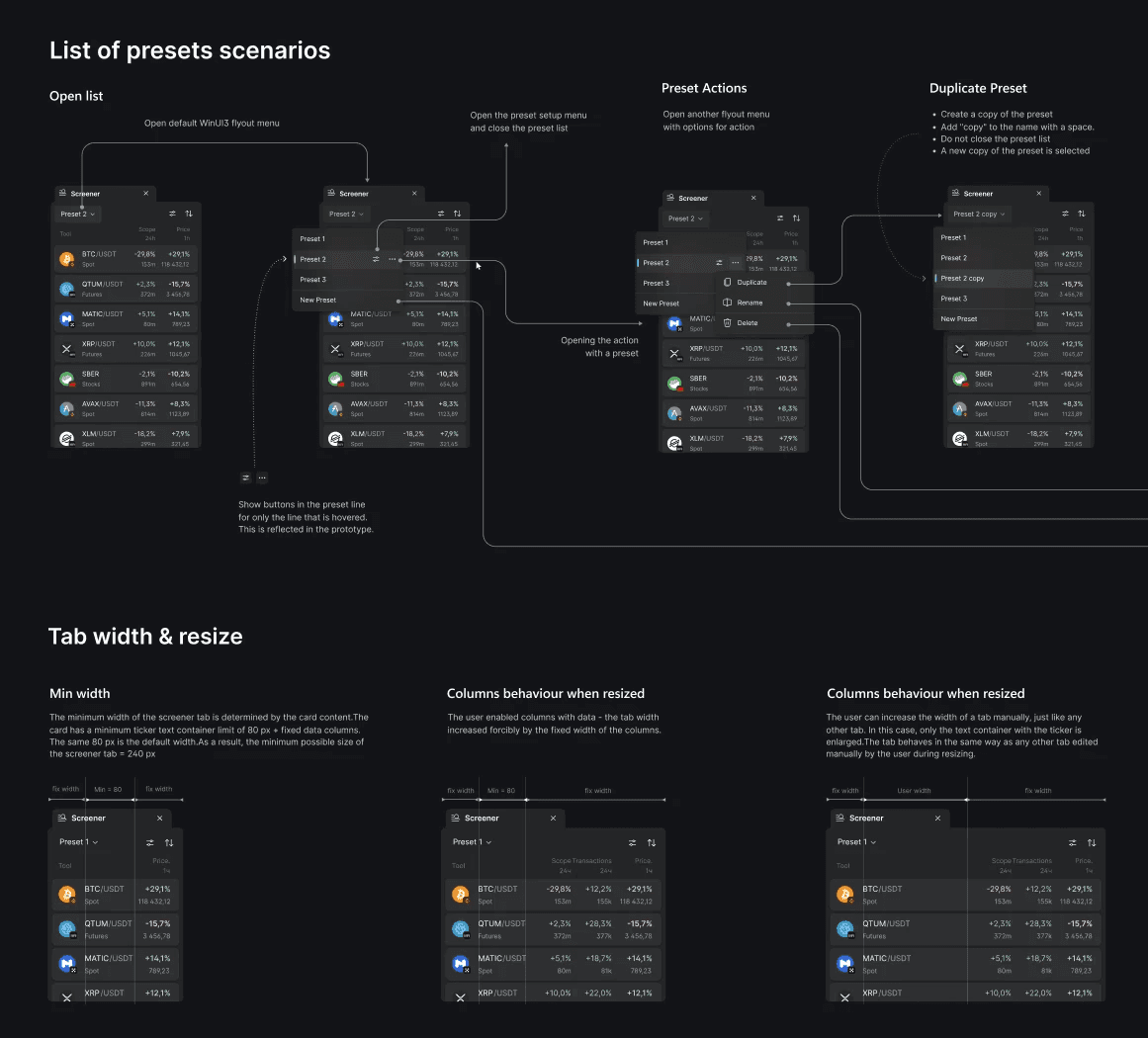
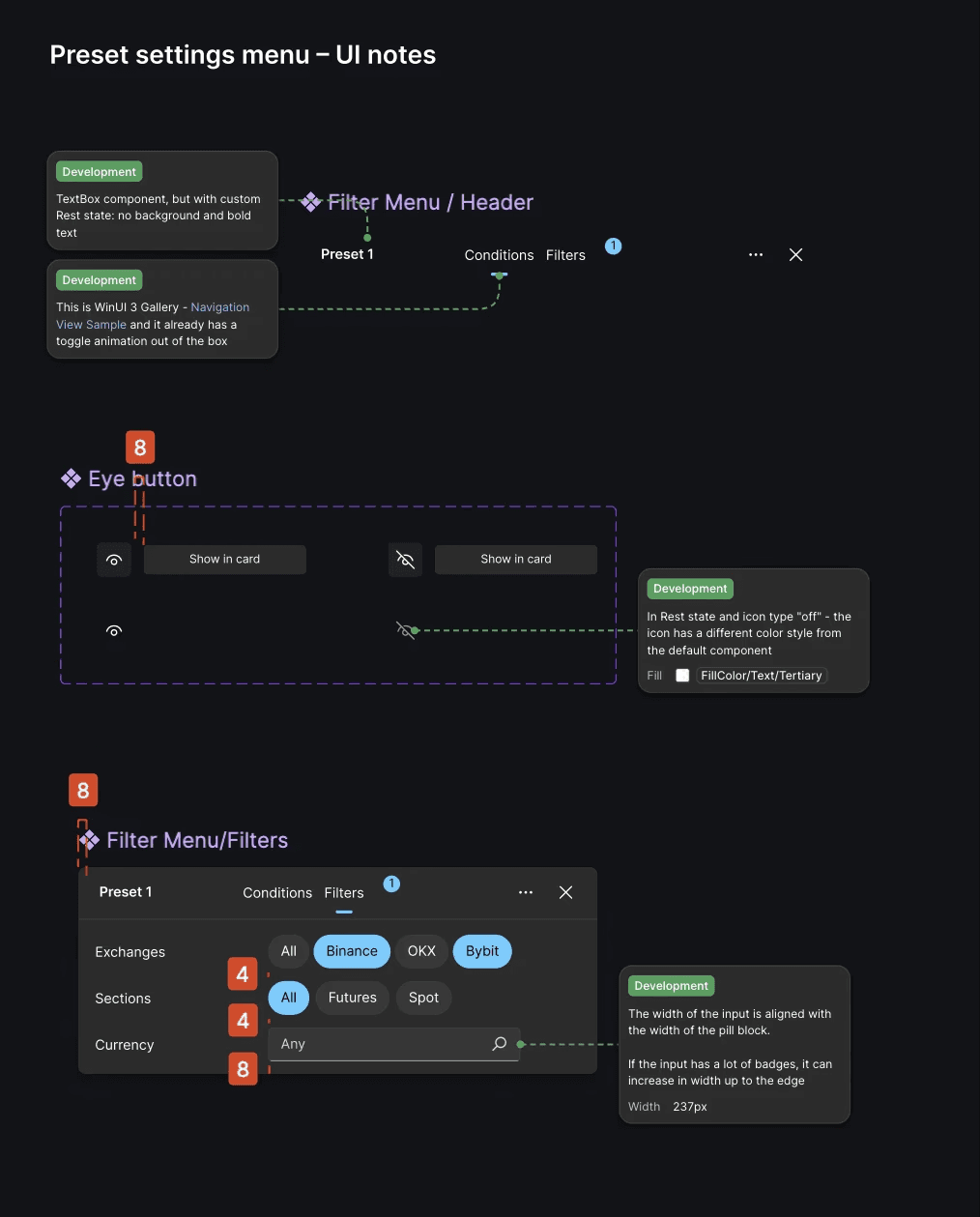
To help the development and QA team there are also dedicated sections with detailed UI descriptions and annotations, local components, and prototypes. It's also will be helpful to designers who could join later to navigate in this sea of frames and tiny UI details.
To help the development and QA team there are also dedicated sections with detailed UI descriptions and annotations, local components, and prototypes. It's also will be helpful to designers who could join later to navigate in this sea of frames and tiny UI details.
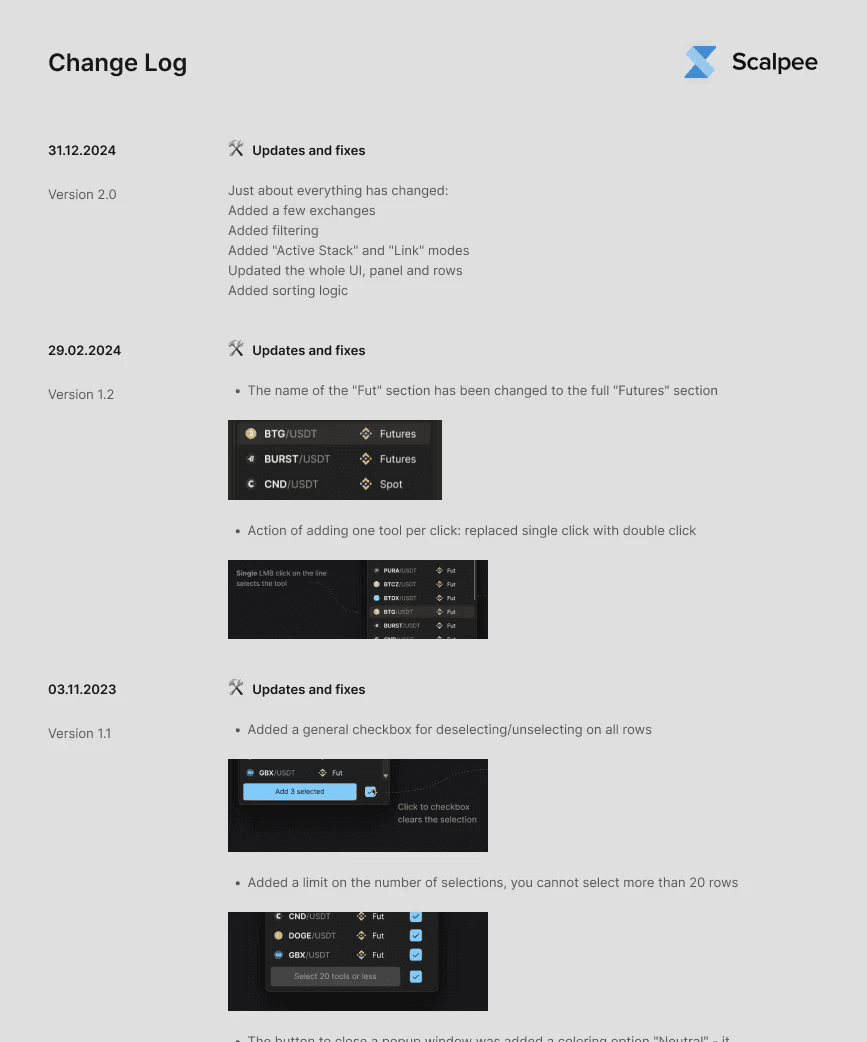
With this number of frames and sections per feature, a design change log is a must-have. It stores all updates of new versions with image previews and links to the relevant frames, making developer's work much easier and helping the feature layout stay consistent through versios.
With this number of frames and sections per feature, a design change log is a must-have. It stores all updates of new versions with image previews and links to the relevant frames, making developer's work much easier and helping the feature layout stay consistent through versios.
Design Systems
Design Systems
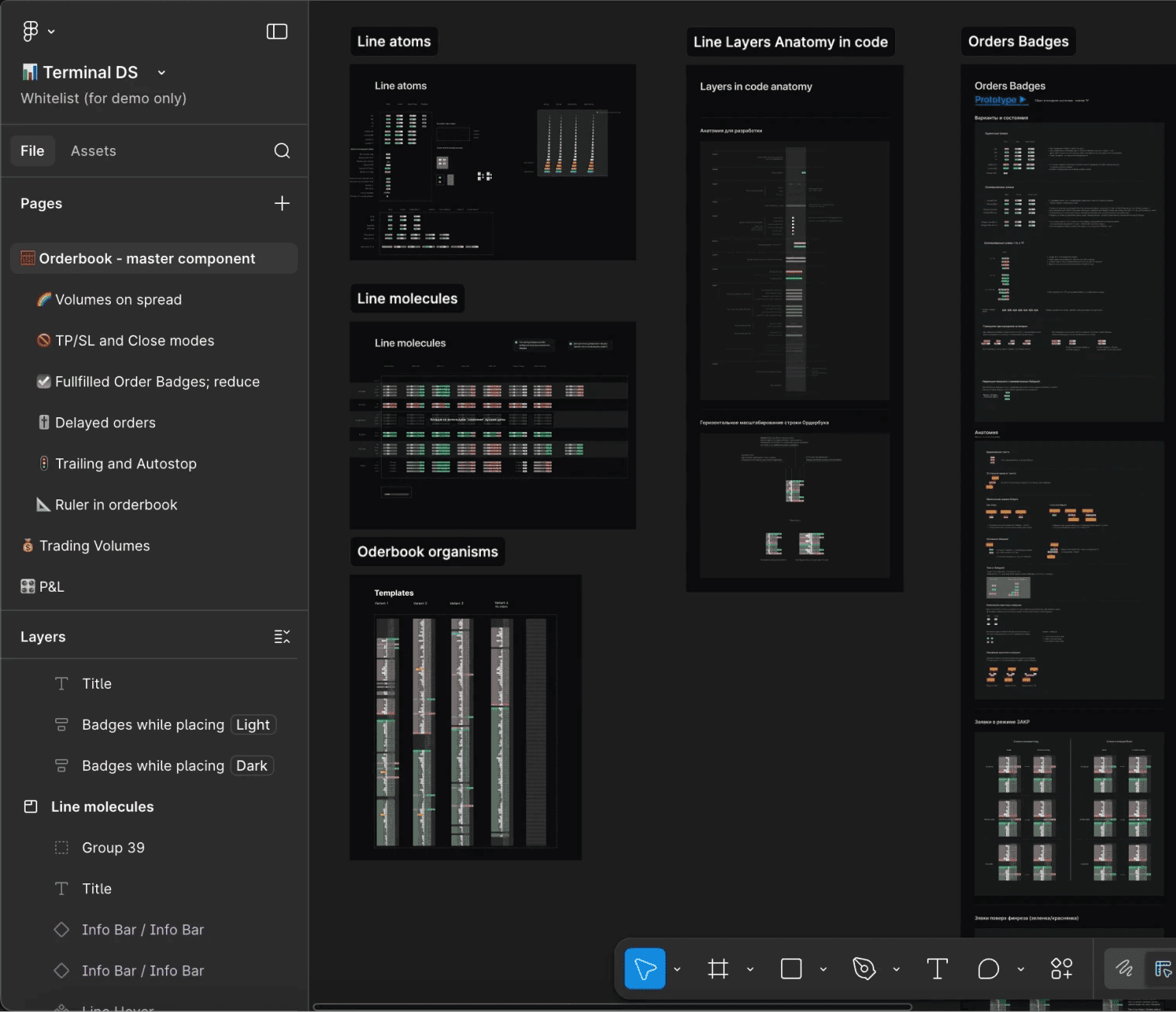
Due to different development environments and interconnected products, there are three design systems, particularly one merged into the other.
Due to different development environments and interconnected products, there are three design systems, particularly one merged into the other.
Due to different development environments and interconnected products, there are three design systems, particularly one merged into the other.
The first system is specifically designed for all trading components, which are heavy, custom and have it's own dev environment, while the second system, WinUI3, was used for the common UI to reduce development costs and time to market.
The first system is specifically designed for all trading components, which are heavy, custom and have it's own dev environment, while the second system, WinUI3, was used for the common UI to reduce development costs and time to market.
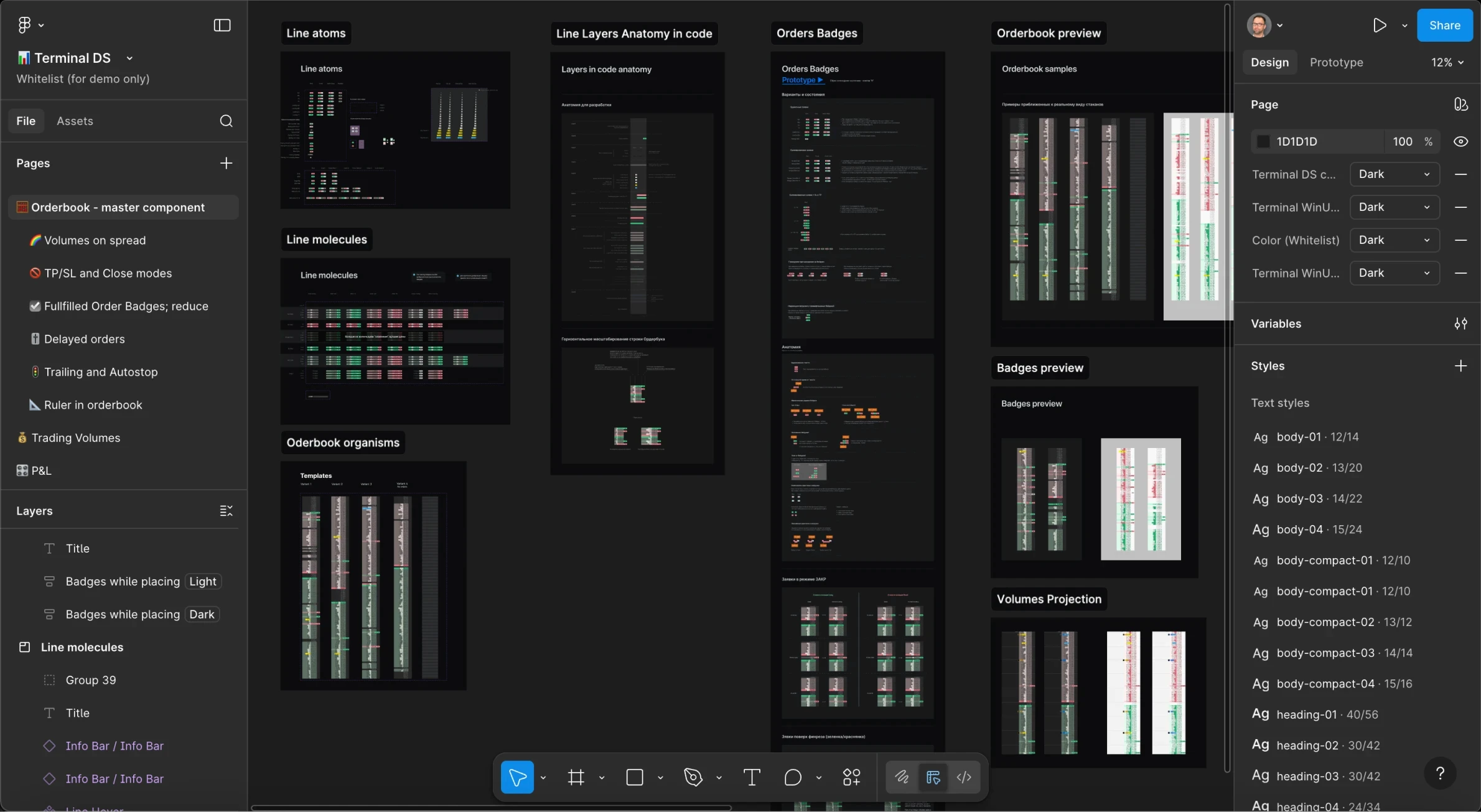
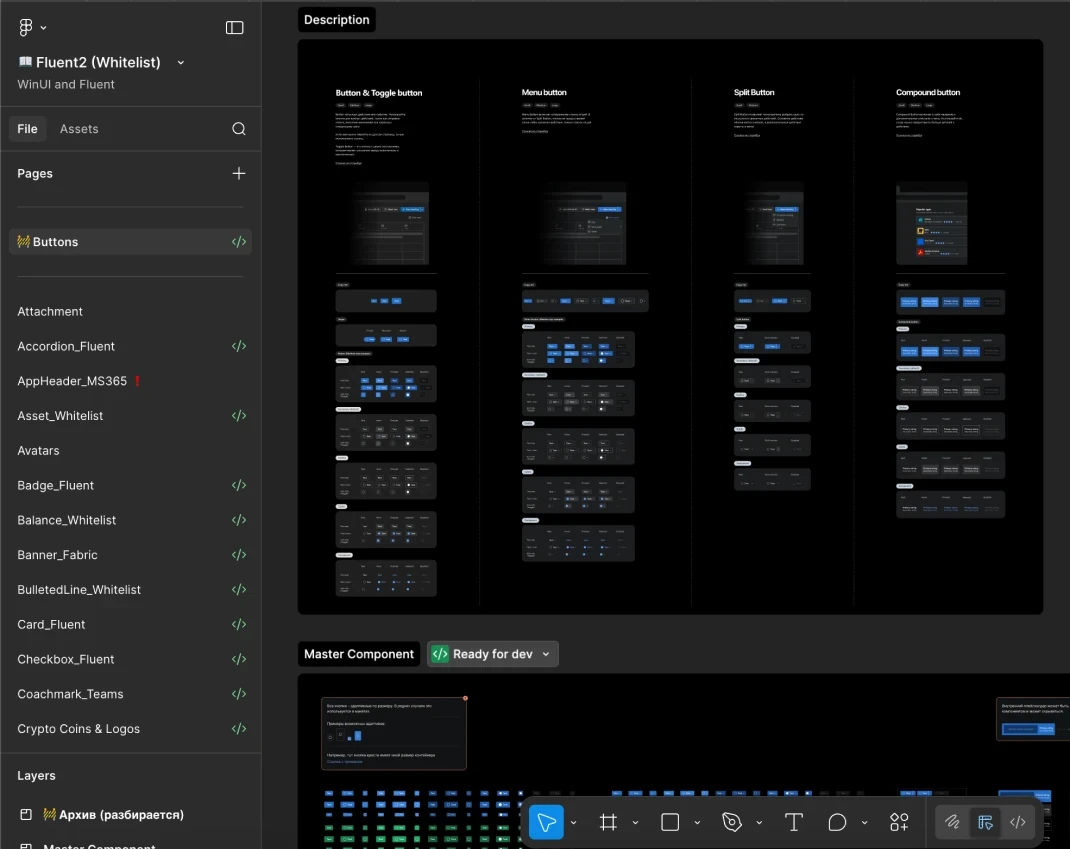
We had to add one more, third-party web-specific design system Fluent 2.0 , because WinUI3 doesn't support Vue 3, the environment of the web user account.
We had to add one more, third-party web-specific design system Fluent 2.0 , because WinUI3 doesn't support Vue 3, the environment of the web user account.
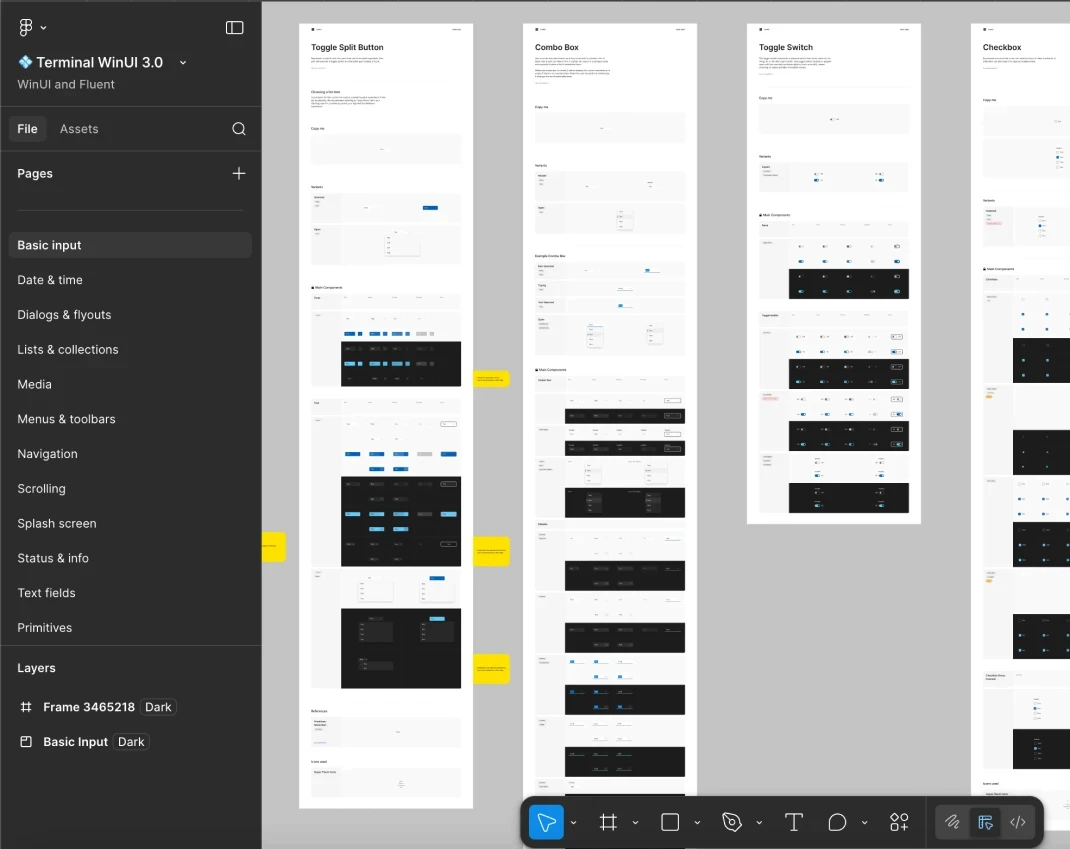
All systems were modified and cross-integrated to use unified tokens and variables. Therefore, we can actually call it a cross-product design system.
All systems were modified and cross-integrated to use unified tokens and variables. Therefore, we can actually call it a cross-product design system.
outro
outro
Scalpee is currently my most interesting and challenging project. The result is a combination of engineering, trading, complexity, and unbelievable data density wrapped in an intuitive and user-friendly experience. The product set multiple industry standards, elevating trading UX to the next level.
Scalpee is currently my most interesting and challenging project. The result is a combination of engineering, trading, complexity, and unbelievable data density wrapped in an intuitive and user-friendly experience. The product set multiple industry standards, elevating trading UX to the next level.